Ports and Subsystems
R2026bBlocks for creating subsystems, ports, and conditional or iterative
execution, such as Inport, Outport, If, Subsystem, and Model
Use blocks from the Ports and Subsystems library to organize your model into hierarchical components. You can define input and output ports, create subsystems, and implement conditional, iterative, or variant execution patterns.
To add blocks from this library to your model, see Add Blocks to Models.
Blocks
 | Enable | Add enable port to subsystem or model |
 | Enabled Subsystem | Subsystem whose execution is enabled by external input |
 | Enabled and Triggered Subsystem | Subsystem whose execution is enabled and triggered by external inputs |
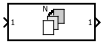 | For Each Subsystem | Apply algorithm to individual elements or subarrays of input signals or mask parameters |
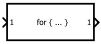 | For Iterator Subsystem | Repeat subsystem execution during simulation time step for specified number of iterations |
 | Function Element | Specify function to provide via exporting function port (Since R2022a) |
 | Function Element Call | Specify function call to issue via invoking function port (Since R2022a) |
 | Function-Call Feedback Latch | Break feedback loop involving data signals between function-call blocks |
 | Function-Call Generator | Provide function-call events to control execution of subsystem or model |
 | Function-Call Split | Provide junction for splitting function-call line |
 | Function-Call Subsystem | Subsystem whose execution is controlled by external function-call input |
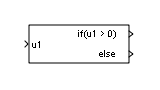 | If | Select subsystem execution using logic similar to if-else
statement |
 | If Action Subsystem | Subsystem whose execution is enabled by If block |
 | In Bus Element | Select input from external port |
 | Inport | Create input port for subsystem or external input |
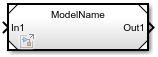 | Model | Reference another model to create model hierarchy |
 | Out Bus Element | Specify output of external port |
 | Outport | Create output port for subsystem or external output |
 | Resettable Subsystem | Subsystem whose block states reset with external trigger |
 | Subsystem | Group blocks to create model hierarchy |
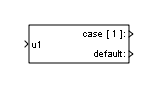 | Switch Case | Select subsystem execution using logic similar to switch
statement |
 | Switch Case Action Subsystem | Subsystem whose execution is enabled by Switch Case block |
 | Trigger | Add trigger or function port to subsystem or model |
 | Triggered Subsystem | Subsystem whose execution is triggered by external input |
 | Unit System Configuration | Restrict units to specified allowed unit systems |
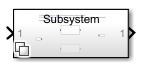 | Variant Subsystem | Template subsystem containing Subsystem blocks as variant choices |
 | While Iterator Subsystem | Repeat subsystem execution during simulation time step while logical expression is true |
Tools
| Library Browser | Find and add blocks to model |
Topics
- Add Blocks to Models
Use the Library Browser and quick insert menu to insert blocks.
- Use Control Flow Logic
How to use control flow blocks to model control logic.

