Main Content

show

Show collision geometry

Description

show(geom) shows the collision geometry in the current figure at its current pose. The function automatically generates the tessellation.

show(geom,Name=Value) specifies options using one or more name-value pair arguments in addition to any combination of input arguments from previous syntaxes. For example, FaceColor=[1 1 1]

ax = show(___) returns the axes on which you plot the collision geometry.

example

[ax,patchobj] = show(___) returns the graphic object patchobj that represents the collision geometry in the plot.

Examples

collapse all

Create a cylinder collision geometry. The cylinder has a length of 3 meters and a radius of 1 meter.

cyl = collisionCylinder(1,3);

Show the cylinder.

show(cyl)
title("Collision Geometry")
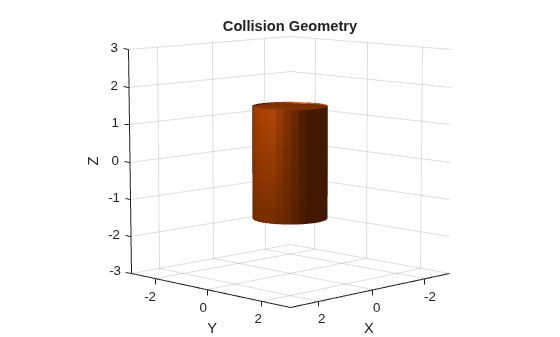
Figure contains an axes object. The axes object with title Collision Geometry, xlabel X, ylabel Y contains an object of type patch.

Show the cylinder in a new figure with the face color as cyan and return the patch object that represents the cylinder. You can modify other properties of the patch using the patch object, such as EdgeAlpha, EdgeColor, and LineWidth.

[~,patchObj] = show(cyl,FaceColor=[0 0 1],FaceAlpha=0.2);
patchObj.EdgeAlpha = 1;
patchObj.EdgeColor = [0 0 1];
patchObj.LineWidth = 0.1;
title("Collision Geometry")
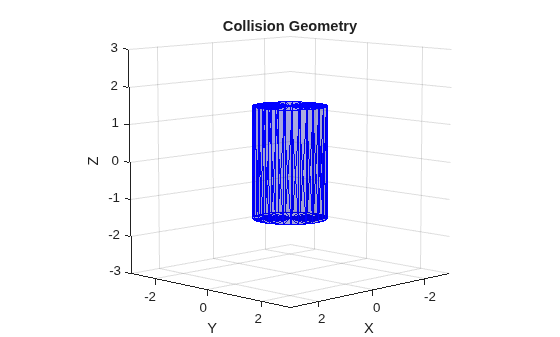
Figure contains an axes object. The axes object with title Collision Geometry, xlabel X, ylabel Y contains an object of type patch.

Input Arguments

collapse all

Collision geometry to show, specified as one of these objects:

Name-Value Arguments

collapse all

Specify optional pairs of arguments as Name1=Value1,...,NameN=ValueN, where Name is the argument name and Value is the corresponding value. Name-value arguments must appear after other arguments, but the order of the pairs does not matter.

Before R2021a, use commas to separate each name and value, and enclose Name in quotes.

Example: FaceColor=[1 0 0] changes the color of the collision geometry to red.

Axes on which to plot the collision geometry, specified as an Axes object.

Face color, specified as an RGB triplet. An RGB triplet is a three-element row vector whose elements specify the intensities of the red, green, and blue components of the color. The intensities must be in the range [0,1]; for example, [0.4 0.6 0.7].

Face transparency, specified as scalar in range [0, 1]. A value of 1 is fully opaque and 0 is completely transparent.

Output Arguments

collapse all

Axes displaying the collision geometry, returned as an Axes object. For more information, see Axes Properties.

Graphic object that represents the collision geometry, returned as a Patch object. For more information, see Patch Properties.

Version History

Introduced in R2019b

expand all