Main Content

sltest.testsequence.addStepAfter

R2026b

Add test sequence step after existing step

Description

sltest.testsequence.addStepAfter(blockPath,newStep,stepPath,Name=Value) adds a step to a Test Sequence block specified by blockPath. The new step is named newStep and is inserted after stepPath. Step properties are specified by Name=Value arguments.

example

Examples

collapse all

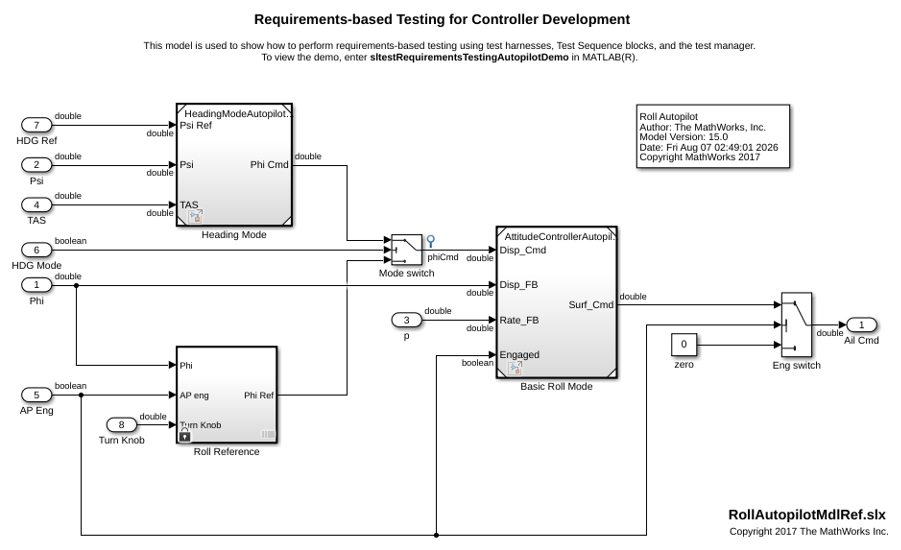
This example creates a test step, step1, in a Test Sequence block after the step SetLowPhi, which is in the second level of hierarchy under the top-level step APEngagement_AttitudeLevels.

Open the Model and the Test Harness

rollModel = 'RollAutopilotMdlRef';
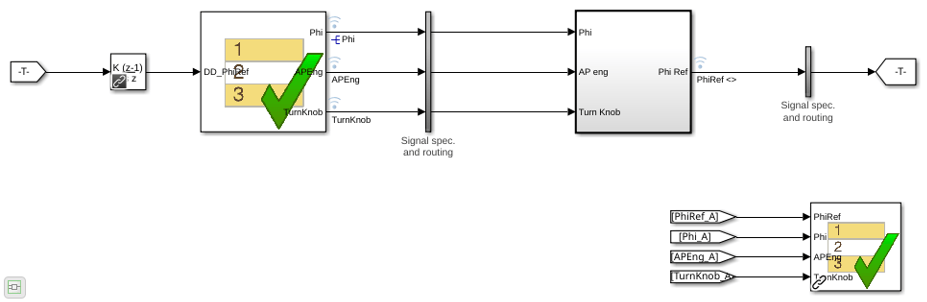
testHarness = 'RollReference_Requirement1_3';

open_system(rollModel);
sltest.harness.open([rollModel '/Roll Reference'],testHarness)
Create a New Local Variable Named h

sltest.testsequence.addSymbol...
   ('RollReference_Requirement1_3/Test Sequence',...
   'h',Data="Local");

Add a Step Named step2 and Set the Value of h to 5

sltest.testsequence.addStepAfter...
   ('RollReference_Requirement1_3/Test Sequence',...
   'AttitudeLevels.APEngage_LowRoll.step2',...
   'AttitudeLevels.APEngage_LowRoll.SetLowPhi',...
   Action='h = 5;')

Input Arguments

collapse all

Path to a Test Sequence block, including the block name, specified as a string or character vector. Instead of the block path, you can use a block handle.

Example: 'FanSpeedTestHarness/Test Sequence'

Name of a new test step in the Test Sequence block, specified as a character vector. It is added after stepPath and must have the same parent step as stepPath.

Example: 'newStep'

Example: 'topStep.midStep.newStep'

Path of the step in the Test Sequence block, specified as a character vector. The path includes the step location in the Test Sequence hierarchy, using . to separate hierarchy levels. If the Test Sequence block is using scenarios, add the scenario name that contains the step to the beginning of the step path, for example, Scenario_2.SystemHeatingTest.InitializeHeating.

Example: 'SystemHeatingTest.InitializeHeating'

Name-Value Arguments

collapse all

Specify optional pairs of arguments as Name1=Value1,...,NameN=ValueN, where Name is the argument name and Value is the corresponding value. Name-value arguments must appear after other arguments, but the order of the pairs does not matter.

Example: Action='out = square(et)',IsWhenStep=false,Description='This step produces a square wave.' specifies a test step to produce a square wave.

The test step action programming. To add a line, create the step actions using the sprintf function and the new line operator \n.

Example: Action='out = square(et)'

Specifies whether the step is a standard transition type or a When decomposition transition.

Example: IsWhenStep=true

Specifies the condition that activates a When decomposition child step. To activate the When step, enter a valid logical expression.

Example: WhenCondition='a >= 1'

Test step description, specified as a character vector.

Example: Description='This step produces a high-frequency square wave.'

Version History

Introduced in R2016a