show
R2026bDisplay the mesh as a patch on the current axes
Description
show( displays the mesh)extendedObjectMesh as a patch on the current axes. If there are no active axes,
the function creates new axes.
[
also returns the ax,p] = show(mesh)Patch object that contains the data for the mesh. Use
p to query and modify properties of the patch object after it is
created. For a list of properties and descriptions, see Patch Properties.
Examples
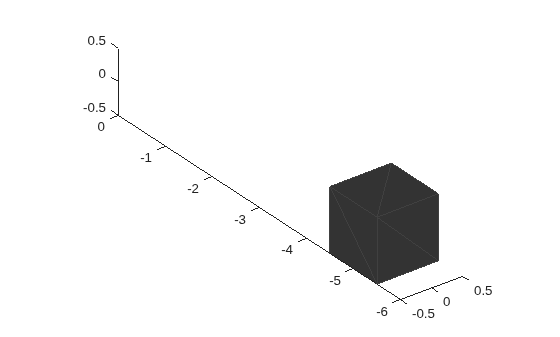
Create an extendedObjectMesh object and translate the object.
Construct a cuboid mesh.
mesh = extendedObjectMesh('cuboid');Translate the mesh by 5 units along the negative y axis.
mesh = translate(mesh,[0 -5 0]);
Visualize the mesh.
ax = show(mesh);
ax.YLim = [-6 0];
Input Arguments
Output Arguments
Version History
Introduced in R2020b

