Quadcopter Drone Model in Simscape

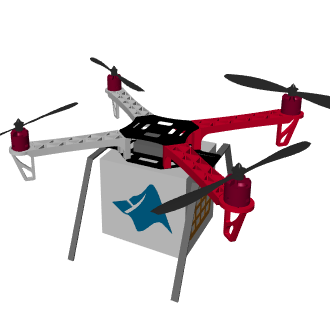
Quadcopter with multibody, electrical and thermal models follows a path to deliver a package.

https://github.com/mathworks/Quadcopter-Drone-Model-Simscape

You are now following this Submission

This example models a quadcopter that navigates a path to deliver a package.
  • Electric motors and battery enable estimation of current draw and drone range
  • CAD files of the chassis and propellers model the mechanical system
  • Cascaded PID controllers adjust motor speeds to control altitude and attitude
  • Path following and speed controllers provide high-level commands
  • Python queries to a weather database obtain location-specific wind conditions
  • Wind gust profiles test stability of drone controllers
  • Profitability analysis in a MATLAB App enables exploring technical and business tradeoffs
Open the project file Quadcopter_Drone.prj to get started.
Use the "Download" button above to get files compatible with the latest release of MATLAB.
For earlier MATLAB releases, use "Version History" tab above or these links:
Quadcopter and Control System
Quadcopter Mechanical and Electrical Systems
Quadcopter Motors and Battery
Learn how to use Simscape with
Product Capabilities:

Cite As

Steve Miller (2026). Quadcopter Drone Model in Simscape (https://github.com/mathworks/Quadcopter-Drone-Model-Simscape/releases/tag/26.1.1.7), GitHub. Retrieved .

General Information

MATLAB Release Compatibility

  • Compatible with R2021a to R2026a

Platform Compatibility

  • Windows
  • macOS
  • Linux
Version Published Release Notes Action
26.1.1.7

See release notes for this release on GitHub: https://github.com/mathworks/Quadcopter-Drone-Model-Simscape/releases/tag/26.1.1.7

25.2.1.7

See release notes for this release on GitHub: https://github.com/mathworks/Quadcopter-Drone-Model-Simscape/releases/tag/25.2.1.7

25.1.1.7

See release notes for this release on GitHub: https://github.com/mathworks/Quadcopter-Drone-Model-Simscape/releases/tag/25.1.1.7

24.2.1.7

See release notes for this release on GitHub: https://github.com/mathworks/Quadcopter-Drone-Model-Simscape/releases/tag/24.2.1.7

24.1.1.7

See release notes for this release on GitHub: https://github.com/mathworks/Quadcopter-Drone-Model-Simscape/releases/tag/24.1.1.7

23.2.1.7

See release notes for this release on GitHub: https://github.com/mathworks/Quadcopter-Drone-Model-Simscape/releases/tag/23.2.1.7

23.2.1.6

See release notes for this release on GitHub: https://github.com/mathworks/Quadcopter-Drone-Model-Simscape/releases/tag/23.2.1.6

23.1.1.5

See release notes for this release on GitHub: https://github.com/mathworks/Quadcopter-Drone-Model-Simscape/releases/tag/23.1.1.5

22.2.1.5

See release notes for this release on GitHub: https://github.com/mathworks/Quadcopter-Drone-Model-Simscape/releases/tag/22.2.1.5

22.1.1.5

See release notes for this release on GitHub: https://github.com/mathworks/Quadcopter-Drone-Model-Simscape/releases/tag/22.1.1.5

22.1.1.4

See release notes for this release on GitHub: https://github.com/mathworks/Quadcopter-Drone-Model-Simscape/releases/tag/22.1.1.4

21.2.1.5

See release notes for this release on GitHub: https://github.com/mathworks/Quadcopter-Drone-Model-Simscape/releases/tag/21.2.1.5

21.2.1.3

See release notes for this release on GitHub: https://github.com/mathworks/Quadcopter-Drone-Model-Simscape/releases/tag/21.2.1.3

21.2.1.2

See release notes for this release on GitHub: https://github.com/mathworks/Quadcopter-Drone-Model-Simscape/releases/tag/21.2.1.2

21.2.1.1

See release notes for this release on GitHub: https://github.com/mathworks/Quadcopter-Drone-Model-Simscape/releases/tag/21.2.1.1

21.2.1.0

See release notes for this release on GitHub: https://github.com/mathworks/Quadcopter-Drone-Model-Simscape/releases/tag/21.2.1.0

21.1.1.3

See release notes for this release on GitHub: https://github.com/mathworks/Quadcopter-Drone-Model-Simscape/releases/tag/21.1.1.3

1.0.0.0

Cleaned up folder structure
Adding Simscape Electronics as required product

To view or report issues in this GitHub add-on, visit the GitHub Repository.