Patchline
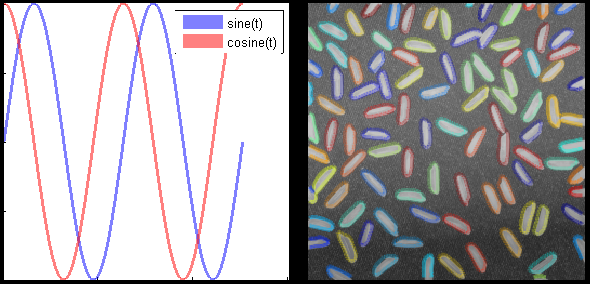
Visualize lines as patch objects. Specify any valid patch property, including transparency.

You are now following this Submission
- You will see updates in your followed content feed
- You may receive emails, depending on your communication preferences
Cite As
Brett Shoelson (2026). Patchline (https://nl.mathworks.com/matlabcentral/fileexchange/36953-patchline), MATLAB Central File Exchange. Retrieved .
Acknowledgements
Inspired: MRIqual, linealpha(x,y,varargin), NIfTI Studio, customGrid, Plot Food Web
General Information
- Version 1.2.0 (2.72 KB)
MATLAB Release Compatibility
- Compatible with any release
Platform Compatibility
- Windows
- macOS
- Linux
| Version | Published | Release Notes | Action |
|---|---|---|---|
| 1.2.0 | Fixed a minor bug if varargin is empty. |
||
| 1.2.0-2 | Simply modified the description. No code changes. |
||
| 1.2.0-1 | Updated license |
||
| 1.2.0-0 | Improved the rice.png example, modified the description slightly. |
||
| 1.1.0 | Updated description, examples. |
||
| 1.0.0 |

