Experiences with release 2012b

Did you try 2012b already? What do you like, what has still potential for further improvements, what makes working with Matlab harder than with earlier releases?
How large is the overlap between the new features and the list of wished changes: Answers: what-is-missing-from-matlab?

5 Comments

Jan's question is about the whole release, certainly with a spin on MATLAB. Do we have Simulink users aroundd here? Or maybe one wants to open a seperate thread?
Jan
Jan on 17 Sep 2012
Edited: Jan on 17 Sep 2012
I'd prefer some hopefully positive feedback about the new Simulink features in this thread as counter part to the negative opinions about the ribbons and the new style of the documentation.
Doug Hull
Doug Hull on 19 Sep 2012
Edited: Doug Hull on 19 Sep 2012
EDITOR NOTE: In the interest of putting comments in the right place (answers to the question where they can be voted on) I moved some of the comments (positive and negative) into the answers section, just like I do for other questions.
@Wesley: Please post this as an answer, not as a comment. While I can reconsider all of your impressions and emotions, I do not agree with the last sentencs: I have an old incredibly stable QNX, which boots from a floppy disk. Here the obvious bottleneck is the hardware, to be exact the floppy disk support and stability.
I have not heard of any other Matlab release which cause so much detest.
I miss the "Wrap Around" option on Find-Replace.

Sign in to comment.

 Accepted Answer

Malcolm Lidierth
Malcolm Lidierth on 15 Sep 2012
Why has the menu system survived for so long in so many software packages? Because it is a triumph of design and function. File->Open, Edit->Paste were ubiquitous. When I downloaded a trial of a software package I had not used before, I knew immediately how to get started.
Ribbons are a retrograde step. They leave both new and "veteran" users of software struggling to find the right button. They are triumphs of style over substance.

15 Comments

+1, I really agree. Unfortunately my grand-mother used the same argument in a discussion about type writers and computers. Therefore I consider if I'm only getting old for ribbons.
@Jan
But computer manufacturers had enough sense to copy the typewriter manufacturers QWERTY keyboard. Software developers (note not users) now seem committed to getting rid of its screen equivalent.
Robert Cumming
Robert Cumming on 17 Sep 2012
Edited: Robert Cumming on 18 Sep 2012
+1 I really agree on this - I cannot understand why they want to change it...
I have no access to actually test it - so this comment is based on the online screen shots I've seen and my hatred of office since they introduced it.
+1 Same reasons I hated this when Office did it. Let's take something that works really well, is universally known and compact, and make it pretty but confusing, bulky and ADD-inducing.
and it's doubly bad because mathworks have that toy-like ribbon there taking up valuable real estate. I guess some of us can use 30" screens, but most everyone else is using monitors with 1080 vertical lines. So if you use up 200 of those lines with cruft, it's not doing anyone any favors. I look at that thing and think it could and should shrink by 50%. At least microsoft was smart enough to hide the 'file' part of the menu under the icon.
@Eric,
You can minimize the toolstrip so that it does not take up the real estate. Right click on it -> Minimize it.
Thank god!
But really, thank you!
From seeing the word "apps" I start having a wish to switch back to Comodore. Maybe I'm biased but seeing all these user friendly interface additions makes me feel less serious about the contents. Right now I'm unsuccessfully trying to customize the color scheme (can't find it.. I will hopefully in few more minutes..).
I felt likewise, working with MS Word. But I found Matlab toolstrip fine.
I despise the ribbon ( a waste of screen, particularly on a laptop ) so I hide it and use ‘Quick Access Toolbar’.
However I also rely on docking (editor + figure + command line). and in 2018a it is not possible to add figure commands to the quick access, so I spend hours hacking figure shortcuts (zoom, etc) with icons, which kind of works. But then copying the shortcuts to another PC is almost impossible! One has to copy all the icon figures and FavoriteCommands.xml, MATLABDesktop.xml, MATLABQuickAccess.xml, matlab.settings, etc from C:\Users\<user>\AppData\Roaming\MathWorks\MATLAB\R2018a, and then fix the shortcuts to point at the icons… argh!
What I have so far:
Now I spend days synchronize MatLab preferences and shortcuts across computers. :( But I will not give up! yet..
@MathWorks
1. There needs to be a sync option for preferences and shortcuts using the MatLab account through the web.
2. Also an option to export/import all preferences and shortcuts as a file.
3. Allow user to add figure icons to the quick access toolbar.
4. Allow user to use classic toolbar (ie pre ribbons).
@Serge +1,It hasn't changed much in ten years since the 2012b change of interface to the current 2022a Your suggestion is a good one!
DGM
DGM on 25 Aug 2022
Edited: DGM on 25 Aug 2022
For a while, I thought that customizing the QAT would be a viable workaround, but at the time, I was using multiple computers between my lab and others. Maintaining any workaround was out of the question. All I'd ever have is the ribbon and default QAT. I simply minimized the ribbon, ignored the QAT, and stopped using both in favor of doing as much as possible via keyboard and console.
Toolbars were a useful, flexible component of mouse-driven interfaces, then came ribbons that were inflexible, unfixable wastes of space designed to be gaudy showcases of developer's feature interests instead of a simple palette of user's needs. When a mouse-driven UI design so strongly encourages users to revert to using the keyboard in avoidance, it's a naked failure.
what should i do next once i enter the licence and it says activation complete
@Shane Begani: What? What's that have to do with UI changes made in R2012b? Are you trying to install R2012b? I don't remember if there is anything different that needs to be done in the older versions, but once activation is complete, you're done. You close the installer and launch MATLAB from the Start menu or where ever is appropriate for your OS.
If this has nothing to do with R2012b, why are you hiding a question as a comment in a random old thread somewhere?

Sign in to comment.

More Answers (43)

Yair Altman
Yair Altman on 13 Sep 2012
I must say that I expected more from ML8 than a Desktop facelift. Yes, I know it's anything but "simple", and I am aware of the few incremented upgrades (a few of which I like, particularly the static Java classpath/librarypath thingy that I wrote about in my latest post). Still, I would have liked a major version upgrade to include major changes to the figure window and GUI controls (anyone mention HG2?), upgraded JIT engine, better memory management and monitoring tools, improved start-up speed, and better use of modern multi-core and GPU capabilities. Please don't try to sell me stories that the small set of incremental improvements are worthy of a major release.
When MTW last added a major engine upgrade (JIT), they called the new release 6.5, not even a full major version mind you. Calling this new version 8.0 is perhaps only a marketing ploy, but I think many ardent Matlabers, who eagerly await a serious upgrade for many years now, might even be offended. I for one was disappointed.
I know it's not the same engineering skill-set and I understand the business tradeoffs and the different TTM for engine upgrades vs. facelift upgrades. Still, I thought I'd share my personal 0.02.

5 Comments

Several other people, even TMW employees, expected substantial changes for the new major version. I personally do not care, if the version number is 7.15 or 8.0, as long as the number is growing. The change from 7.9 to 7.10 caused more troubles...
I even would be glad about a new release, which contains bugfixes only and not even one new feature. A facelift is useful for me if it increases the productivity. I do not like to spend hours to learn new features, which save minutes or work.
Obviously HG2 is not ready for publication yet. But some features of HG2 can be found since so many years in Matlab, that I start looking forward to seeing HG3 implemented.
What is HG2? Google does not bring up anything even remotely related to MATLAB or programming.
@Image Analyst I get about 20000 hits for "matlab hg2". The first few links provide the answer.
@IA: I suggest to read Yair's blog from start to end. It's a treasure.
HG2 refers to handle graphics 2 I suspect. In development hell for some time.

Sign in to comment.

Michelle Hirsch
Michelle Hirsch on 19 Sep 2012
(cross-posting a comment I just submitted on Loren's blog)
Hey everybody – it’s Scott here. I’m the head of the MATLAB product management team, responsible for steering the overall direction for MATLAB. Many of you know me from my more active days on the file exchange, blogs, or personally from my years of traveling to meet with MATLAB users around the US and the world. (I also happen to be the dorky looking guy in the What’s new in MATLAB video, with a voice not nearly as charming as the legendary Scottish voice of MATLAB …)
I wanted to let you know that we are listening. We really appreciate all of your feedback, and particularly the passion that all of you bring to MATLAB.
I believe that we all have the same goals – we want MATLAB to be great, to continue to be adopted by more and more users around the world, everyone from experienced programmers to engineers who are limping by analyzing data with spreadsheets.
To this end, we have a large development team working on many different fronts. We are working on graphics, performance, language, libraries, GUI building, etc. Each of these moves forward on its own timeline, with capabilities released as soon as they are ready. It just so happens that our updates to the desktop and help system happened to be ready at 12b, while much of the work in other areas is still in progress.
I’ve seen some comments here and elsewhere on expectations for “version 8.” We decided to rev the version number to 8, mainly because we were tired of 7.1x … It doesn’t mean that you have to wait 8 more years for a “9″ to see some of the other features you are hoping for. You’ve probably noticed that we’ve been de-emphasizing version numbers of the past several years as we’ve switched to releasing features as they are ready every 6 months instead of bundling up all big changes into a single major release. We are continuing with this approach.
I really hope that you will give the new release a real try before dismissing it. It’s been said before, but we tested this release a ton with users, including ones with lots of experience who use MATLAB very heavily. Keep in mind that the new version had to pass the muster of our own development organization, which is likely one of the largest groups of professional software developers using MATLAB in the world. There are a lot of features (which we will cover in subsequent blogs) that we put in specifically to ensure that power users could continue to have highly productive workflows in the MATLAB desktop.
We look forward to hearing your continued feedback, particularly from those of you who can find the time to invest energy in really trying out the new release. As you learn your way around, let us know what’s working (“hey, I never knew you could jump the debugger to the current line”) and what’s not (“I really want to be able to separate the items in my quick access toolbar”).
Thanks again. As always, I’m happy to communicate via the community, or privately if you prefer. My email address is listed on my File Exchange page.

10 Comments

@Scott, Thanks for your answer. It is important to hear, that TMW is listening to the opinions of users.
Ribbons are debatable - I've seen a positive vote in the current discussion also. A -legacy flag, which displays the IDE old and experienced Matlab users are accustomed to, would have helped to ease the emotions.
Did any of your usability tester think, that the new help layout, e.g. online doc: figure properties is better than the old style?
@Jan - we've heard similar feedback on that specific page. It is one example where the template we designed which has worked very well on many pages didn't work as well for this page. The team continues to refine the designs and work to weed out issues like this one.
On a separate note - thanks for supporting such a lively discussion from the community!
@Scott
"...particularly from those of you who can find the time to invest energy in really trying out the new release."
But using MATLAB is supposed to save me time and energy. I tested the Beta, and gave cool to indifferent feedback on it and the more time and energy I invest on R2012b the more I dislike it. I want the old menus back - so I find myself switching to R2012a instead. Maybe that's the problem - but my employer has different ideas to TMW about where I should be spending my time and energy.
Perhaps TMW could set up a Luddites Corner on its website where some of us might feel more at home.
+1 for crisis management. We need to give TMW credit for understanding that there is an out-of-the-ordinary situation here and for very quickly entering into a useful productive dialog about this. I don't think we have seen such willing dialogs from Redmond when all hell broke loose in Office'07. Cynics might hold their judgment until all the problems are fixed, but at this early stage I think the response is about as much as could be expected from the best of companies. Software fixes at the scale of a major Matlab release are not measured in days but in months.
It seems to me that restoring the main menu will alleviate most of the pain for most of the complainers. This seems like a rather simple patch to do, and I would advise TMW to post such a patch. I'd give it a go myself, but an official patch would obviously be much better, and would go a long way in restoring user satisfaction. Then we would still have the toolstrip, but users would also be able to access functionality via the non-obtrusive menu, which should significantly ease the learning curve.
The question of whether or not there should be a unified or separate patch for the doc template, I leave open. But what I think is certain is that a solution should not wait until 13a - IMHO a patch to 12b is indeed called for.
I also think that if TMW for a moment forgoes its policy of keeping mum about its roadmap and commits to such a patch at some future date, then the level of user anxiety (not to say animosity) will immediately subside.
Handled correctly, TMW might even score points from this crisis, gaining users' trust and loyalty for years to come.
@Malcolm -
I certainly appreciate where you are coming from. I remember your feedback from the beta, and do appreciate the energy you put into helping us understand what was working and what wasn't working. I'm sorry to hear that you aren't growing more comfortable with the Toolstrip over time.
Every release raises the question of "is it worth it to move to this release". This is a balance of what new things the release offers and what costs are associated with moving to the release (typically, dealing with incompatibilities, learning how to use the new features). It's obviously a more challenging calculus this go 'round for you, since you aren't (yet?) finding benefits from the new release (apps packaging, text import tool, "did you mean" suggestions, perhaps?)
Thomas Hoffend
Thomas Hoffend on 28 Sep 2012
Edited: Thomas Hoffend on 28 Sep 2012
In my opinion The Mathworks wasted significant time and development money "improving" an interface that was not broken and very possibly irritating other long-time licensees besides me. This is the sort of goofy hijinks I have come to expect from Microsoft for its office products but not from a company such as The Mathworks that specializes in computational tools for scientists and engineers.
First off, the help is broken. Every time I try to search help a get a widget from Visual Studio pops up asking if I want to debug a web page or I get a popup about a scripting error. I do not understand how something like this could pass through beta. The new help browser is also a step backwards. I am not interested in Microsoft or Adobe style web searching for my help files. All I want is fast access to the documentation for Matlab and the toolboxes that I license. The old help and documentation system was not broken.
Second the tool strip wastes space and provides no real advantage. What the tool strip does accomplish is reduction of efficient access to icons such as the code cell stepping icons that used to be at the top of the editor pane.
Personally, I would put my development dollars into enhancing code run speed and adding computational features and algorithms to core Matlab rather than doing flashy new things to the interface that will just end up irritating us old timers (been using Matlab on and off since the late 80's and maintaining my current license for almost 20 years now).
I decided to try the 2012b update some more on a real task involving computational image processing and image-based metrology. I am really not liking this update at all. I am accustomed to making docked figures and then using the zoom and rotate tools to look at my computations and/or data. I instinctively moved the cursor up for the zoom icon and it was not there. The figure tools are up on the tool strip, but this just adds an extra mouse movement and click; it is an inconvenience. Why did you guys add this stuff?
@Thomas Hoffend: I'm using a simple tool, which allows spatial navigation with the mouse programmatically without using the toolbar. I find this even more intuitive. There are some similar tools in the FEX.
That is great Jan, but I should not have to search, find, download, and install a new tool and retrain my brain/muscle memory to learn to work with it.
The point is that I, and probably many other long-time users, have an established work flow that functions very well for us. Some past additions to Matlab worked within established work flow patterns and enhanced productivity. Core cells would be one example.
I am rarely inspired or annoyed enough to make comments concerning a software product. This update messes with my workflow significantly and offers nothing in return. I have decided to go back to using a previous version until The Mathworks sorts this out. If The Mathworks really is listening to this thread, then there should be some intense "firefighting" meetings going on right now.
Just updated to 2013a from 2012a and I agree with @Thomas Hoffend about the figure toolbar. I make heavy use of it and prefer to dock my figures in a lower panel on the screen. Moving the figure toolstrip to the main ribbon from the figure window is absolutely maddening to me. Instead of a tiny mouse movement from the plot to change the figure tool and back, I now have to move the mouse all the way across the screen and back. Came here to find the option to dock the figure toolstrip on the figure window, leaving sorely disappointed with the UI redesign.
Ditto that complaint for the debug tools which have been removed from the editor window. Seriously interferes with my UI efficiency. Thumbs down, way way down.

Sign in to comment.

Oleg Komarov
Oleg Komarov on 13 Sep 2012
Edited: Oleg Komarov on 13 Sep 2012
I already let TMW know but I'll be posting here as well:
  • I miss the previous edit configurations window. Now I have to create separate m-files (which I did not want to do) and call them instead of keeping my testing suite hidden in the configurations for the specific function (script).
Thinking whether to feedback this as well:
I personally DO NOT like the ribbon, it takes way too much space. Nowadays wide screens are the standard format and giving so much space to a ribbon is inefficient. Hiding the ribbon on the other hand forces me to remember all the shortcuts by heart. One single line toolbar was perfect. Maybe I am just averse to significant changes.

17 Comments

I agree that the toolbar was perfect already. I'm using a tool to hide the toolbar of the former versions programmatically on a low-res-laptop.
Oleg, Have you tried adding your favorite shortcuts to the "Quick Access Toolbar" (the one next to the search in upper right)? For me this made 12b much easier to get used to from initial shock. I put "Play", "Evaluate Cell" and all of my favorite Debug buttons up there and can keep the toolstrip minimized...
If you minimize the toolstrip, isn't the result pretty much the same as the old menu bar? There's a thin strip with the tab names; you click on those and the tab drops down, pretty much like a menu would.
(Not trying to force you to drink the kool-aid and like the toolstrip, just asking.)
Maybe I have not experimented enough but I use the Quick Access Toolbar to keep shortcuts.
I keep the names on the shortcuts, i.e. hey take quite some space already, and I used to have shortcuts in a separate place from the buttons.
Sean de Wolski
Sean de Wolski on 13 Sep 2012
Edited: Sean de Wolski on 13 Sep 2012
@Matt. The biggest issue I've had is with a docked editor sometimes the editor tab is not visible and is always align-left, where I keep my editor docked align right. Using the quick-access-toolbar keeps: play/evaluate cell/dbstep/New etc. readily available all of the time and above the editor.
Also I really like the black2blue color scheme :)
Is the appearence of the command window GUI important for your work? I still use the command window and an editor window, while all other stuff is closed. During debuggung the worspace browser is opened on demand only. But even the new (Matlab >= 2008b?) powerful menu for controlling the debugging in the editor overwhelms me by its multi-levelness and changing strings - I prefer to type "dbstop if all error" in the command line, while I cannot find the corresponding menu anymore.
While the GUI of the programming environment is less important for me, I miss improvements in the GUIs, which can be created for users. There is still no documented UITREE and the UIPANEL, UITABLE and UITAB is in its infancy also. Why do I need a programming environment looking like MS-Office2010, when I create GUIs looking like pre-Atari 1040 from 1986? To be fair, the Atari had a BW or 256 color monitor only. Why do I have to ask Yair, when I want the interfaces in the 21th century style?
I have to work with different Matlab releases and any greater change disturbs the comfort substantially. Is it possible to enable the old appearance?
Is it possible to enable the old appearance?
No. There is no -legacy mode.
@Oleg -
(Mathworker here - I noticed people didn't know Matt was one - so I wanted to make everyone knew that I was).
I like the option of moving the Quick Access Toolbar down below the toolstrip (right click to move it) and then I have room for more buttons and my labels. Would that help so that you don't have to memorize anything? Just an idea.
Oh - and I made this intro video to the new desktop that might be useful and addresses some of the customization questions-
I have to admit I didn't understand at first that the QAT could be dragged below, but soon I realised it and I asked Matt (see comments under his post) if it was possible to add vertical separators.
So, all in all the QAT will be a sufficient replacement (actually optimal if it had the vertical separators), but I am still very annoyed by the run configurations dropdown (which is also a bit buggy because the edit button highlights only part of the commands).
+1 for -legacy mode
I agree, it's emerging from the discussion a reasonable request, support for -legacy interface for those who don't want the ribbon.
You can use the old interface by staying at R2012a. But this seems to be no option for the ones who answer in this thread. I'm interested in the reasons, because there are obviously good reasons for an upgrade. There are larger changes in Simulink, but it seems like the Simulink users do not communicate in this forum frequently.
Kevin Sharp
Kevin Sharp on 17 Sep 2012
Edited: Kevin Sharp on 17 Sep 2012
I'm thinking of cancelling my maintenance contract and sticking with R2012a. Ribbons and the new help browser are a big step backwards. A legacy mode would help.
There should be no need for a "legacy" mode. Major interface changes for a product as mature as Matlab and having such a large installed and long-time user base should never be made unless absolutely necessary.
There is always a drive to remain current. In my opinion, cancelling a maintenance agreement is not a good idea for an industrial licensee such as myself unless my plan is to move on to a completely different productivity-enhancing computational environment.
@Thomas, you say "a large installed and long-time user base should never be made unless absolutely necessary" like it is a certainty, yet every software package that I can think of that has anything beyond a CLI has made these changes. According to your philosophy MATLAB should never have "abandoned" the CLI. I can think of lots of software that has done exactly what you say shouldn't happen. At the desktop environment level both FOSS (KDE and Gnome) and proprietary (Windows and Mac) have undergone huge "unnecessary" changes. All have meet with initial user complaints, which tend to die down eventually. Internet browsers have also see changes (e.g., tab browsing) as well as office applications (OpenOffice and MS Office).
@Daniel: Evolution does not have a direction. Here software packages do not differ from biological species. A new GUI philosophy will survive, it is fitter than others - and this does not necessarily mean better. Even the perfectly adjusted saber-tooth tiger became extinct.
The CLI still exists in 2012b. I get the analogy though. Some code changes are useful upgrades and some are hindrances. Core cells were an incredible productivity enhancer for me. The context-sensitive editor also has helped quite a bit. I happen to think that the 2012b interface is a hindrance. I also suspect that the transition was never requested by users. However there are many other enhancements that have been requested.
In regards to various other software packages, I am reminded of the old cliche' "if everyone jumps off a cliff does that mean you should too?" Not that it matters, but there are plenty of specialized professional computational software packages that do not use a toolstrip and that probably do not have the development funds to waste going in that direction.
The fact that this trendy interface appeared in Matlab suggests to me that TMW has become too large and lost its connection with its real customers. I read Scott's words below "the new version had to pass the muster of our own development organization, which is likely one of the largest groups of professional software developers using MATLAB in the world". That pretty much sums it up.

Sign in to comment.

Ian
Ian on 14 Sep 2012
Edited: Ian on 14 Sep 2012
As usual, a lot of disappointment. I'm sure the UI refactoring is useful to some people, but the ribbon is a conceptual reassignment of function locations, which at best offers greater discoverability for new users, and at worst a disorienting experience for those used to a menu paradigm (in which case, keyboard shortcuts are your friend). As an OS X user, the ribbon adds nothing of value. Nevertheless overall this really is a minor change (do people really twiddle with the UI for most of the time in Matlab, are they really saving substantial time clicking through ribbon tabs than a menu?). Matlab has a number of core features used daily that are in desperate need of updating:
  1. Graphics are still rendered without anti-aliasing and robust alpha opacity support with the default renderer. We have a hodge-podge of 3 different renderers each with a set of drawbacks (i.e. opacity support in OpenGL causes vector export to fail!!!). Where is the modern graphics support, something like a native PDF or SVG engine, per item opacity and full anti-aliasing without compromises? Pixellated klunky graphing is embarrassing for a suite for which visualisation is a core component...
  2. Guide is a bug ridden, slow and hugely limited mess. The UI toolkit is already very limited in Matlab, but then Matlab wraps that in a really dated, slow UI editor. It falls over when dealing with anything more than simplistic UIs (try multiple selecting groups of components and arrow-key positioning them; or try changing tab order, and watch Matlab brought to its knees). Give us a modern UI toolkit (it is already mostly there under the surface, see undocumented matlab), and build a UI editor that doesn't suck. Why does TMW hide things like HG2 for years!?!?
  3. Editor is still very basic. I'd realy like to see better/smarter completions for things like class properties, and a structure browser for methods/subfunctions. Something like "Go to anything..." (fuzzy find any file/function/class/method anywhere in the path) in Sublime Text 2 would be awesome.
  4. More robust parallelization; The parallel computing toolbox is very useful, but it would be really helpful to have some of that core functionality within Matlab itself, these should be language features, not added extras.
  5. Better platform integration: On OS X we still are waiting for clipboard support for vector graphics (OS X had PDF built-in, this is not difficult), and even simple Applescript abilities would allow very powerful integration with other apps (like Excel for example). I'm sure gnome/kde would benefit from similar changes too. TMW seems to only really support Windows platform specific features and technologies, and the other platforms are second-class citizens (but we don't get financial discounts for reduced functionality)...
  6. EDIT: Serialisation for Matlab objects, very important when communicating among several Matlab instances.
So another 6 month wait and we can only dream we will get a release that is more than tweaks to the UI.

6 Comments

It is funny, I would class 1, 2, 3, and 5 as UI issues. I am not sure, but I don't think that any of the toolboxes modify the core MATLAB libraries. I believe if you had the time and skill you could write these functions yourself.
Neither PDF nor SVG are designed for 3D display, in opposite to OpenGL. Therefore it is not surprising, that the vector output of OpenGL-rendered figures fails. VRML would be an alternative, but you need some extra toolboxes.
Ian
Ian on 14 Sep 2012
Edited: Ian on 14 Sep 2012
@Daniel: The problems are that these requires changes to core matlab functionality. The issue raised in (1) require a new graphics renderer and retooling of handle graphics interfaces; core changes, not UI ones. (2) Guide 2 needs engineering work r.e. performance and bugs and would also need better underlying uicontrols to bring it to feature parity with other GUI editors. This is more than just adding a ribbon or moving icons around. (3) is UI for sure. (5) is core architecture, TMW needs to utilise APIs for each platform, this is again not solved by new icons or moving UI components around, but supporting things like Scripting Bridge / Applescript dictionaries and native PDF representations for graphics.
@Jan: I'm really talking about 2D plots, i.e. if you want to use opacity for points in a scatter plot, and not have aliased lines and text and want to export it as vectors. Although a smart renderer would be able to collapse a 3D plot into 2D patches...
In reference to the cross-platform clipboard support, you can copy vector art to the clipboard in Windows, but not in OS X even though OS X supports vectors format for that natively. This is irrespective of OpenGL, OpenGL is sadly the only way we can currently support alpha transparency even in 2D plots. Matlab simply need a smart renderer which handles these things, the crazy set of compromises painters, zbuffer and OpenGL force upon the user should not be necessary.
I thought PDF could not handle transparency? Or is that a limit only for Postscript?
Walter, PDF handles transparency just fine, I use Adobe Illustrator that exports to PDF with per-item opacity perfectly preserved. I don't really mind what vector format Mathworks supports (SVG is another great candidate), but I'd just like a robust handle graphics renderer that can handle opacity, anti-aliases properly and can export to vectors when relelvant (and can cope with copy/paste). This has been techically possible for years now.
@Ian
Apologies for promoting my own code but:
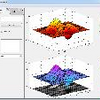
a forthcoming "alpha" release of Project Waterloo (free and open-source) provides a pure Java 2D graphics library together with a MATLAB-like API e.g. scatter, line etc. It supports anti-aliased graphics and text, transparency (at single color, plot and graph level) and is fully serializable to XML. In MATLAB, Waterloo graphics and MATLAB graphics can be mixed in a single figure (snapshot below form R2012b on a Mac: top-left/bottom-right=MATLAB, top-right/bottom-left=Waterloo). Copy/paste has yet to be implemented (the code is being developed still) but output to SVG and PDF are supported.
The new version will be posted to SourceForge early October (see http://sigtool.sourceforge.net/)

Sign in to comment.

Eric
Eric on 13 Sep 2012
My biggest gripe with the ribbon interface is the enormous amount of screen space it wastes. But the ability to hide it and put my favorite buttons in the quick access toolbar and the ability to put the quick access toolbar and current folder toolbar on the same line helps considerably. I do miss the "Execute entire file" button since it doesn't force you to change the current directory the way the Run button does.
Also, it would be nice if the Mathworks would admit this is a ribbon and use the Ctrl+F1 keyboard shortcut to allow hiding it. If you're going to copy Office's interface, you might as well copy their keyboard shortcuts as well.
A bigger concern for me is that this is where the Mathworks is choosing to apply its resources. They are clearly more concerned about bringing in new users than adding functionality.
This reminds me a lot of what happened to Mathcad when it was bought by PTC. PTC's first full release of Mathcad, Mathcad Prime, actually had reduced functionality compared to Mathcad 15. Many of my documents from Mathcad 14 actually would not work with Mathcad Prime because of this. Mathcad Prime introduced the ribbon interface as well. Maybe Mathcad Prime 2.0 has restored all of the functionality that had previously been lost, but I wouldn't know as I no longer use the program.
That's not to say this is necessarily a bad decision by the Mathworks. They're just optimizing to a different metric. Maybe alienating a few advanced users and allowing the functionality to stagnate is worth it if you can bring in a significant number of new users.
-Eric

9 Comments

Sean de Wolski
Sean de Wolski on 13 Sep 2012
Edited: Sean de Wolski on 13 Sep 2012
Hi Eric, You can add "Evaluate Entire File" as a Keyboard shortcut (though I can't find a button for it unfortunately).
  1. Home
  2. Preferences
  3. Keyboard
  4. Shortcuts
  5. Evaluate entire file
Oleg Komarov
Oleg Komarov on 13 Sep 2012
Edited: Oleg Komarov on 13 Sep 2012
I like Eric's comments about the users being target but I also find it sad. I don't see many improvements in functionality (if not a reduction) and as Jan says there's quite a mismatch between the actual appearance and the achievable. I would like to be able to achieve Ribbon like GUI's with plain MATLAB or be given an adapted documentation (with examples) to implement Java.
People say one step at a time...
Eric
Eric on 13 Sep 2012
Edited: Eric on 13 Sep 2012
@Sean: Thanks for this. Maybe the button will be resurrected in a future release. In a sense I guess there already is a default keyboard shortcut for this: Ctrl+a, F9. Maybe that's why there's none by default. I'll probably get into the habit of using that.
I also complained about the loss of the "evaluate file" option. Maybe it will come back?
In designing the Toolstrip, I think they made some design decisions to remove or deemphasize features they thought weren't important. No doubt some people will disagree with some of those decisions. (Eg, me, when it comes to the "evaluate entire file" option!)
In that vein, regarding "more concerned about bringing in new users than adding functionality"... I don't think it's a matter of one versus the other. Nor even of just "bringing in new users" (although I'm sure the business leadership wants that as well, of course). Have a look at the new features in this release and you can see it's not all about the toolstrip (abstract classes and expanded file I/O capabilities, for example). Obviously 12b is a major change to the look and feel, and that's dominating the news and discussion for this particular release. But improvements and new features are still being continuously added.
We do want to make MATLAB easier and nicer for new users to learn and work with. And we definitely want users to discover the cool features available (established users, not just new users). IMO, a good example of that is the "Run and Time" button, which I think will introduce users to the Profiler much more readily than the old "Profile" button. See also your point #3 in your other post. So, in that sense, this release does represent an effort to give value particularly to new (and newish) users. But I don't see it as at the expense of continuing to develop MATLAB for power users as well.
Disclaimer: I'm speaking here of my view and understanding as a MathWorker, but not as anyone involved in the high-level strategic planning and whatnot. (IOW, insert standard "does not necessarily represent the views of The MathWorks, Inc" here.)
If you do want to make MATLAB easier and nicer for new users, I honestly question the direction of the new DOCUMENTATION. I have been a (very) long time MATLAB user and I thought what you had before was wonderful. It could be read like a book or used as a reference. I find it now almost impossible to find anything and to use. I find myself constantly having to click with the mouse to get anyhwere. Just my 2cents. As far as the interface, that is small in comparison to the list of other grievances that I have with the way Mathworks is doing business lately. In Mathematica you get parallel functionality, compile to c for speed, statistical distributions, and many other addon functionality built into the software for a very comparable price. Also for those of us with retirement or switching jobs on the horizon there is a home edition with the same functionality for a small fraction of the cost. Please don't get me started.
Matt, I never knew you worked for The Mathworks - perhaps you should make that clear in your profile, like Sean, Randy, and some others do.
Matt Tearle used to have the little Mathworks logo beside his name, as did the other Mathworkers.
@Eric -
Dave G and I noticed the evaluate all question on Loren's blog. Not sure if you saw the answer there. But instead of doing ctrl-a; F9 which ends up copying everything to the command window, you can also evalute an entire file using the documented editor api that was released about a year ago. You can put it then behind a shortcut button as a make-shift replacement for the missing button -
Code here -
activeEditor = matlab.desktop.editor.getActive ;
eval(activeEditor.Text) ;
This might help a bit.
Sarah,
Thanks for this - I'll try it out. If I can get that button back I think I can use 2012b in the same way as I did 2012a.
-Eric

Sign in to comment.

Yair Altman
Yair Altman on 27 Sep 2012
Not less importantly than the documentation layout, many online doc pages have changed URLs, and the old URLs no longer work. I see this as a serious regression problem. I strongly urge MathWorks to redirect all the previous URLs to the new ones (server side redirect - http "301 Permanently Moved") so that old links, of which there are tons across the net, are not broken. I fail to see how this has gotten past the QA phase.

10 Comments

In MATLAB R2012b, the URLs of many online documentation pages have been improved to be more readable.
For example, a link to the Simulink Debugger documentation that used to be:
http://www.mathworks.com/help/toolbox/simulink/ug/f5-6104.html
Now looks like:
Prior to the release of MATLAB R2012b, redirects were put in place to handle a majority of reference pages, the release notes, and the installation guides. For example, the following link:
automatically redirects to the new URL:
However some pages have not been redirected for various reasons. Given feedback like this, we are looking into creating more redirects as soon as possible.
If you encounter such page, you have 2 options.
Option 1:
You can access the information you are looking for in a previous release of the doc. This can be done by adding /releases/R2012a/ between /help/ and /toolbox/ in the URL.
For example, the R2012a documentation section about the Simulink Debugger can be reached by changing this link:
http://www.mathworks.com/help/toolbox/simulink/ug/f5-6104.html
to:
http://www.mathworks.com/help/ releases/R2012a/ toolbox/simulink/ug/f5-6104.html
Option 2:
If you do attempt to click on a link for a page which no longer exists in R2012b documentation, you will instead be brought to the landing page for the product you are requesting, and prompted to search, instead.
For example, the troubleshooting information for the Image Acquisition Toolbox, which was located here: http://www.mathworks.com/help/toolbox/imaq/f16-51679.html, no longer exists. This topic underwent a major reorganization. However, upon clicking on that page, you will be brought to the landing page for the Image Acquisition Toolbox with a search box inserted at the top. If you search for Troubleshooting in Image Acquisition Toolbox, the first link that appears in the search suggestions is the page you need:
Please let me know if I can be of further assistance.
I have encountered this problem several times, and each time it has seemed needless.
I had particular trouble finding the current equivalent to the summary of the MuPAD symbolic libraries, previously at http://www.mathworks.com/help/mupad/stdlib/index.html
The information about the libraries and what they do is not present in those two links. The second of those two links basically says that you have to ask for the documentation within MuPAD (though I guess you could feval(symengine,'info',LIBRARYNAME) ). That is a disappointing drop in the quality of the online documentation.
Before, the web site documentation contained enough information to be able to browse through the libraries to see what was there, and to read the documentation for individual function calls. Now, though, to have any chance of finding the documentation on the web site, you need to already know exactly what you are looking for.
I try to advise people on how to use MuPAD, using my experience with similar languages and then looking up MuPAD equivalents on the web site. Now I effectively cannot do that except by looking back at the documentation for previous releases. (To clarify, I do not have the toolbox myself, but I am trying to assist people who do.)
I reached out to the author for more assistance and they suggested you might be looking for the following:
If these are what you're looking for, your experience may suggest that the link to the function lists at the bottom of product pages are not easily discoverable. We've noted this and are considering future adjustments which would make these links more obvious.
Yes, those lists should be helpful, and No, I had not found them. I looked through several parts of the documentation (now that I know what I should be looking for), but was not able to observe these links anywhere.
Currently the links to Function and Blocks lists are nested in the bottom nav bar on the product landing page for that product.
For example, on the landing page for MATLAB, The link is at the bottom, next to the link to the .pdf doc.
You can also get to the list via the Table of Content (TOC), toward the bottom of the list. The TOC is highlighted at time 1:52 in this video: http://www.mathworks.com/videos/redesigned-help-70405.html
Huh, so it is. I did not notice it there on the product page.
I do not expect an important documentation index such as that to be found on a sales product page and not (at least that I could see) on the Documentation page for the toolbox.
Please put back the ability to search in other releases right from every document page! It is a nuisance to have to head up to the top of the documentation to find the link to get to the archives list to search from there.
Better yet would be to have every page able to search for its equivalent in previous releases.
Thanks for the feedback, Walter. I will share your input with our development leads.

Sign in to comment.

Alex
Alex on 14 Sep 2012
I agree with the majority here that the Ribbon is a very disappoint UI change.
At the very best the UI wastes screen real estate, at worst it requires more clicks without adding functionality.
Why are the icons trip height taking up more valuable room in the vertical direction while half the strip is gray empty space in the horizontal direction?
Previously, the icons for various actions were in the window they pertained to (i.e. step, step into, continue, etc. were in the editor window), now one must to go to the top of the screen, click a tab, then click the button.
Poorly conceived. Time would have been better spent on real enhancements to the language.

9 Comments

What would you consider a real enhancement to the language? From the what's missing question many of the "answers" are about the UI. Are you talking about additional functions that can be written in MATLAB or new functions that need access to the underlying proprietary code?
Add all of the debugging stuff/section (cell) mode stuff to the Quick Access Toolbar - this is what I have and what makes it considerably easier to use.
Daniel,
How about support for native support for file formats like DPX and OpenEXR. Half Data type support. Better parallelization with support for parallelization in basic functions. The ability to specify a custom template to be used when hitting "New" -> "Function" Fixing what I think are memory leaks ... etc.
Alex
Sean,
Yes, I know you can add them to the quick access toolbar but that only works so well. Before each window had the icons related to that window in that window. Using the quick access toolbar bunches all icons in one strip regardless whether they are related to each other or not. How about a quick access toolbar for each docked window in that docked window?
Alex
In the time since the answers forum opened in January 2011, I do not recall seeing any other reference to OpenEXR. Looking online at what it is, it seems to me that it would not be a common need.
I am having difficulty finding any evidence that Intel processors support the 16f ("half-data") format in hardware ? Does it have general use beyond something like VRML ?
OpenEXR is the major format used in visual FX for the motion picture industry and is the basis for the proposed ACES container standard for a archival digital source master file. For most of us working on HDR imaging processing in the real world this is really the only format used. It support various data types but the most popular is half because of the reasonable precision and file size balance. It also supports a variety of other features which radiance does not which is why radiance isn't really used in the real world.
A constrained version of OpenEXR is being standardized as we speak in SMPTE (2065-4) and should be finalized shortly.
Alex: the OpenEXR discussion should really be a new question since it's not related to the 12b release.
Have you seen:
@Sean
I agree this should be a new topic. It sort of organically grew out of the 2012b discussion. Also, I'm familiar with the tool your provided the link for, however, it does have some pretty signifincant limitations. Mathworks support for DPX and EXR would be much preferred because it's documented, tested, and confirmed to work well.
Alex,
I can answer your question as to why there is empty grey area at the right of some of the tabs (mostly the Home tab). Part of the reason is that we have to design for a wide variety of screen sizes and resolutions and part of the reason is to allow for future additions to a given tab.

Sign in to comment.

Star Strider
Star Strider on 16 Sep 2012
In addition to the Shortcut porting problem IA noted, I find ‘Help’ to be significantly less helpful than in previous releases. (I use Help often because of all the complexities in the various functions and function changes between versions.) In addition to Kevin's comments about Help for the Editor having disappeared, the toolbox ‘tree’ in the left panel of Help that I always found so useful no longer exists. That makes browsing — and discovering new ways to do things — more difficult.
It is also more difficult to actually read the Help entries. The various topic titles within each Help entry seem to be the same size and font as their descriptions, making it a challenge to find the various topics. The titles blend in with the descriptions.
Please bring back the 2012a version of Help!

4 Comments

Jan
Jan on 17 Sep 2012
Edited: Jan on 17 Sep 2012
Do you mean help or doc? However, both are very fundamental functions for beginners and advanced users.
Two days after 2012b has launched, I tried to find the list of changes in the release notes in the net starting from the homepage. After 5 minutes I still had not found a really usable list. I gave up thinking: "Well, obviously this is a preliminary version only. Let's wait until the real version of the docs is published." I still assume that I've only hit the wrong links or have overseen some links due to a missing underlining or something like that. But, I dare to claim that I'm not an unexperienced Matlab user, when I fail to understand the documentation, it is not necessarily me who is too stupid.
In opposite to this I've been very enthusiastic about the help and docs of Matlab for so many years.
Jan
Jan on 17 Sep 2012
Edited: Jan on 17 Sep 2012
Thanks, Sean. The lines starting with a bold > are links. They are neither underlined not is there a hover efect, at least in my Firefox. But I image that there is a help for reading the doc, which tells me, that these are links. What a bad idea. Fortunately I've found the "expand all" link, which is displayed in blue such that the clickability is intuitively clear.
Then I find the yellow sign with the exclamation mark in the release notes, which is obviously important. Such important, that it is ok to guess what it should mean. They look fancy and as experienced user of the docs I do can guess their meaning. But usability and guessability are not the same. Nice animations of the expanding are not a helpful replacement of clarity.
After I find out how to use the release notes I hit:
Conversion of Error and Warning Message Identifiers
For R2012b, error and warning message identifiers have changed in MATLAB.
Fine, nice to know. I've opened the link to the solution 1-ERAFNC and found a link to a PDF(!), which contains the old and new keys. Collecting a list of strings in a PDF is a very bad idea, because it efficiently impedes an automatic search in the user-defined code. Frustrated I gave up again.
So, Sean, I admit that all required information are there, but they are not trivial to find and to use.
@ Jan Simon — I originally meant ‘Help’ — the Help browser that comes up with the ‘View product documentation (F1)’ — but I just discovered that in 2012b, ‘doc’ brings up the Help browser as well. (I rarely use ‘doc’, preferring the 2012a and previous versions Search option in the Help browser.)

Sign in to comment.

sfreeman
sfreeman on 4 Oct 2012
To add perhaps a few further views on the R2012b discussion:
1. Well I am also not in favor of ribbons, however when I invest some time in getting my shortcuts on the fastlaunch bar, it does not bother me to much (like MS Office - do a ribbon which suits you and fine).
2. When you adapt ribbons, please do not only copy - go further!
a) allow users to choose icon sizes, fontsize etc. in the ribbons
b) allow users to define ribbons height - not only minimizing/maximizing
c) do not only allow shortcuts but also to allow individual icons (if you now think of apps - please see below)
3. Completely packaged apps are nice, however there is quite some use for preference files or user individual application extensions. (e. g. I use a "macro" system for one of my internal company applications, which allow users to add active buttons by placing a m-file in a certain folder) Afaik this is not possible with apps.
4. Biggest issure in my eyes is however the new help:
It started already years ago with the omission of the index tab - MATLAB and all its toolboxes are a large coding environment with an exceptional function envelope. However you can only make use of it, if you have the idea, that the function in question exists. While searching the help via the index, it was always a good occation to learn about so far unknown functions. No index, no chance to step over completely different functions.
Another opportunity to learn more MATLAB "vocabulary" was the content browser. "was" - with the new help system. With the new "table of contents" open topics do not stay open when I go to one item, the performance is lausy and even cross-browsing of different tollboxes is not possible.
After years of training new colleagues with MATLAB, where the first sentence was "MATLAB has the best help system ever!", this has now come to an end. Sad days...
________ /me sticks with the R2009a help...

1 Comment

Matlab is very powerful. While reading the Getting Started chapters is a good point to start from, getting an experienced Matlab programmer needs much more. The (formerly?) excellent help of Matlab has been fundamental for learning sophisticated details. The "See also" lines in the help texts are very helpful also (and they are still there, I hope). Inspecting the M-files reveals more details. Finally the newsgroup and forum are important also.
Therefore your impression, that the new help style is less productive, is very important. I could imagine that it was the goal of the designers to reduce the chance to get less related information, when you search in the docs. But as you say, sfreeman, sometimes (or always) totally unrelated information will be useful because it spreads the knowledge of the language. Imagine that someone tries to teach a child to talk only by answering its questions perfectly.
So it could be helpful for learning to drive the help in a more sloppy or fuzzy fashion, like:
You've look for parenthesis, but do you know the 'parent' property already?

Sign in to comment.

Doug Hull
Doug Hull on 19 Sep 2012
EDITOR NOTE: In the interest of putting these comments in the right place (answers to the question where they can be voted on) I am moving the comments (positive and negative) into the answers section, just like I do for other questions.
This new release is HORRIBLE.... All MatLab textbooks are now broken...Is there a way to use the old workspace ???
At the monent I am having to backup a release so we can use it...
BAD and a horrible roll-out
Also because of this horrible new interface I am cancelling orders for 5 new systems.....

5 Comments

Jan Simon on 17 Sep 2012 @Bruce: Could you please eleborate your opinion? Which of the new features interfere with your work? It is worth to let the responsible designers know the details, while a bashing is neither wanted nor useful.
Yes, we are very interested in specific comments you have about the Toolstrip and any suggestions that you have to make it better.
David, your comment suggests to me that Mathworks has written the changes to the interface in stone and is not willing to consider admitting it made a mistake and revert to a previous interface. The correct thing to do would be to examine your VOC's (if you have any) and decision matrix again and let us know what they say about changing the interface to Matlab in such a dramatic way. Any input data that came from within Mathworks from anyone is not valid VOC data. If you have no valid VOC data then I really would suggest that you revert.
I think specifics have been given before but here are some:
1) The toolstrip is a waste of screen real estate in a multi-functional computational and visualization environment.
2) Multiple mouse clicks are required to achieve common tasks where one was required before.
3) Hiding the toolstrip is not a viable option because required context-dependent tools are there and opening it requires an additional mouse click. In addition, if (like me) you dock your figure windows for visualizing whatever you are doing at the top (left in my case) of your screen, popping up the toolstrip will partially cover the figure that you want to rotate, zoom, etc. Suppose I want to rotate a figure. First I have to activate the figure window toolstrip context by clicking in the window. Then I have to open the toolstrip for "figure". Then I have to click on the widget for "rotate". Then I have to click back on the figure. Hopefully I don't move down and click accidentally on the portion of the figure that is now covered by the toolstrip (so I have to move the mouse further == bad ergonomics). Then I can use the rotate tool. Next suppose that I want to zoom in on a spot... wash, rinse, repeat.
4) The toolstrip is bad ergonomically for a hybrid shortcut/mouse user such as me (see number 3 above).
5) A single toolbar for favorite actions like the ones I mentioned above is not sufficient.
6) The new help system does not function nearly as conveniently as previously, where it was very easy to open to a section of a "textbook" and browse or search.
7) The new help system is broken - I get multiple types of errors from either Matlab directly or from Visual Studio (asking if I wish to debug a web page).
8) The new interface suggests that Mathworks and Matlab is going in the direction of enabling users to build cute little apps for mobile devices and not serious high performance computation/visualization tools. To me this is the most upsetting of all really.
9) Matlab is still pretty slow in many regards and could use development dollars for computation instead of flashy new interfaces (you get a "two-fer" in terms of angering long-term users) and could use some additional functionality at the core in terms of basic functions and conveniences (not in toolboxes) and parallelism (again not in special a toolbox). I still go to Intel Parallel Studio or to a commercial code that is multi-threaded for the really intensive stuff.
From a customer service point of view, whether a comment is "bashing" does not matter (I realize the word came from Jan and not you). What does matter is that a licensee is upset enough that he has cancelled five orders and told you here in this public forum. I conjecture that for every person that tells you that in public, there are several more that are doing the same thing silently. This is nothing short of a disaster for Mathworks.
There are people here with whom I work and who work very similarly to me (on different projects) with Python and SciPy/NumPy or Mathematica instead of Matlab. I am a facile Python programmer and I license Tecplot which is an excellent visualization package that has a Python interface. I use Matlab for the convenience and the maintenance all in one spot. I have not cancelled my maintenance agreement yet, but I am considering doing so.
Update: The help-related issue seems to have gone away. It was persistent after a reboot, but I am not having the issue anymore. That is weird.
Also as luck would have it, I took delivery of a new HP 8560w EliteBook last week. I tried a fresh install of 2012b on that I experienced no bugs related to help.
The earlier comment by Thomas Hoffend pretty much summed the problems from my point of view. In general, the ribbon (or toolstrip) is the most HORRIBLE 'feature' in this new version. It wastes tons of space and also removed the ability to add/remove things from the toolbar.
It was really disappointing to see that even Matlab/Mathworks got caught up in the stupid cool/cute looking GUI revamp, while compromising the usability. There were some minor good things, like help search on top right, but in general it was a very disappointing update.
I am going back to R2012a and will stick to it as long as possible.

Sign in to comment.

Dan K
Dan K on 5 Oct 2012
  1. When I dock a figure, it makes the figure toolbar virtually useless, since it becomes a tab on ribbon. For me there are a few specific issues with this. One I dock my figures on the right hand side of my screen (which means that the zoom, pan, etc controls are all on the far side of the screen from my figures) And, I often want access to both those tools and the editor tab of the ribbon at the same time! There should be an option to doc the figure toolbar in the figure window. I know this seems minor to some, but IT IS SERIOUSLY IMPACTING MY ABILITY TO GET MY WORK DONE! (Sorry, I'm done shouting now).
  2. Has space become so precious that there's no longer room for the undock icons in the environment tabs?
  3. The new help system stinks (I know others have said it and I've voted for every one of those posts too.) I mean, seriously: a pop up contents directory tree (and it's slow to boot)!
  4. I'm not vision impaired! I don't need my icons to be nearly 10% of the vertical space on my monitor! I actually have a use for that space.
  5. I don't know if anybody else has this problem but the report buttons on the current folder toolbar don't work (although the reports accessed from the drop down menu do).

3 Comments

(5) Define "not work"? Does something come up? Etc...
Nothing... not a twitch... nada. I have submitted a bug report on this one.
Yeah, I am able to reproduce that when the current folder toolbar is below the toolstrip. If I right-click on one of the icons and "move toolbar inside current folder panel" then life is good.
Interestingly life is good as long as it's there. When I move it back to under the toolstrip it works until I click something else. Then it quits working again.

Sign in to comment.

Daniel Shub
Daniel Shub on 14 Sep 2012
I will preface my answer with I haven't tried 2012b yet, but I have read the release notes and some reviews. The disappointment in the major version release not including much new functionality and "only" a major interface overhaul, makes me want to express why I "buy" MATLAB. I should point out that technically I have never paid for MATLAB out of my own pocket, but I have paid for it from my grants and advocated my university to buy a TAH license.
I "buy" software maintenance for MATLAB because of the IDE. I believe the MATLAB IDE is miles ahead of any IDE, especially of any FOSS IDEs, for Python and Octave (languages that I think are comparable to MATLAB). The MATLAB IDE is so good, that I rarely use Emacs anymore when writing MATLAB code (which is not the case for any other language that I write in). The last feature addition to the MATLAB language that I have really benefited from is the overhaul to OO system that occurred 5+ years ago and before that it was the ability to use JAVA (my guess is the MEX interface was also huge, but MEX was already/always there by the time I needed it). I can imagine the move to HG2, when and if it happens, might be of similar importance. I would happily pay for they upgrades. The improvements to the JIT, memory management, multi-core processing and the additional functions are nice, but none would make me upgrade. The IDE seems to be continuously getting better and every release in the 7.x series seemed to make the IDE just a little bit slicker.
So while I wish TMW would improve the MATLAB language (or ideally make it open source), I appreciate there efforts to improve the IDE. I can only hope that the ribbon is not a step back.

3 Comments

While it has been trivial to enable "dbstop if all error" in the "Debug" menu of Matlab 6.5, I still do not understand the Matlab 7+ multi-level debug menu anymore. Therefore I started to use the command window only to set the debug levels.
I never used shortcuts and the start-menu only to activate a new version of my help files. I miss the possibility to insert my own entries in the context menu of the command window. As workaraound I've inserted some code in "edit.m" which opens the Windows Explorer, if the inputs is a folder, such that I can hit the "Open" menu for a selected folder name. But a dedicated menu entry would be better.
Matlab 5.3 had user-defined commands, which could by activated in the editor. These commands could insert text at the cursor position and access the contents of the current selection. After this power has been lost in 6.5 I stopped looking for newer equivalent solutions. Now we have the undocumented FEX: EditorMacro.
Matlab does not offer a neat method to manage working with different projects, see Answers: Path management. The raw interface to the source control systems is lean. E.g. when a project is developped by 5 programmers it is not trivial to highlight the changes applied yesterday by programmer C.
I have found a nice monospaced font, which is displayed with a high contrast and sharp in R2009a. Unfortunately R2011b scales the font by some percent and I assume some font smoothing is applied, such that the characters look slobbery.
I like Matlab's IDE and I see some points where improvements are possible. Ribbons do not belong to these points.
I'm very curious to experiment with Apps. Are they compatible with ealier Matlab versions?
@Jan, they are new for 12b and not backward compatible :( to my knowledge.
Often there are options to download the GUI instead of the app in the file exchange.

Sign in to comment.

Image Analyst
Image Analyst on 15 Sep 2012
I can't figure out how to get my shortcuts transferred over. I did right click and tell it to display the shortcut ribbon, but my shortcuts from R2011b are not there. I tried the trick I gave in http://www.mathworks.com/matlabcentral/answers/44254-how-can-i-save-my-matlab-shortcuts about copying over the shortcuts.xml file from C:\Users\ImageAnalyst\AppData\Roaming\MathWorks\MATLAB\R2012a to C:\Users\ImageAnalyst\AppData\Roaming\MathWorks\MATLAB\R2012b, but it didn't work this time. I have 6 or 7 shortcuts and I'd rather not recreate them by copying and pasting. Any ideas?

5 Comments

Star Strider
Star Strider on 16 Sep 2012
Edited: Star Strider on 16 Sep 2012
In addition to the Shortcut porting problem IA noted, I find ‘Help’ to be significantly less helpful than in previous releases. (I use Help often because of all the complexities in the various functions and function changes between versions.) In addition to Kevin's comments about Help for the Editor having disappeared, the toolbox ‘tree’ in the left panel of Help that I always found so useful no longer exists. That makes browsing — and discovering new ways to do things — more difficult.
It is also more difficult to actually read the Help entries. The various topic titles within each Help entry seem to be the same size and font as their descriptions, making it a challenge to find the various topics. The titles blend in with the descriptions.
Please bring back the 2012a version of Help!
—————
EDIT: Posted (in duplicate) as a separate Answer per request of Jan Simon.
@Star Strider: Please post this as separate answer such that I can vote for it. Do you mean "help" or "doc"?
Image Analyst
Image Analyst on 16 Sep 2012
Edited: Image Analyst on 16 Sep 2012
Here's the way to do it for R2012b:
Evidently the new shortcuts XML file MUST be called shortcuts_2.xml, NOT shortcuts.xml like it used to be called..
  1. Type prefsdir on the command line, then in Windows Explorer (or similar for your other operating system), go to that folder.
  2. Copy your shortcuts.xml file from your old MATLAB version "prefsdir" folder to the new "prefsdir" folder.
  3. Rename the existing, new shortcuts_2.xml to shortcuts_2_original.xml.
  4. Rename your shortcuts.xml to shortcuts_2.xml.
  5. Restart MATLAB R2012b and all your old short cuts will be there.

Star Strider
Star Strider on 16 Sep 2012
Edited: Star Strider on 16 Sep 2012
@Jan Simon: Thank you! I will!
I originally meant ‘Help’ — the Help browser that comes up with the ‘View product documentation (F1)’ — but I just discovered that in 2012b, ‘doc’ brings up the Help browser as well. (I rarely use ‘doc’, preferring the 2012a and previous versions Search option in the Help browser.)
@Image Analyst: Thank you for updating that discovery.
@Star Strider: I use "help" for the text, which appears after "help plot", and "doc" accordingly.

Sign in to comment.

Yuri K
Yuri K on 25 Sep 2012
Edited: Yuri K on 25 Sep 2012
It took me a while to figure out how to do "Paste to Workspace" in the new version. No menu, no good help about it.
I could do it with
uiimport('-pastespecial')
and finally found that Ctrl-V is just focus dependent.
Another twist was when I tried to paste a column of strings with IDs, like 'ID6', 'ID15', 'ID23' etc. (copied to clipboard from an Excel file), to get a cell array. To my surprise I got the output as a cell array of doubles with ID prefix cut away. There is no option to eliminate such behavior. A good example of over-smart system, isn't it?
I know I can code to read the file with xlsread to control it better. But sometime you need a quick and dirty way just to get data in. Worked perfectly fine in older versions. (Well, I've updated from 2011a.)
I'll be happy to learn if I miss something obvious.
Todd Welti
Todd Welti on 8 Oct 2012
Edited: Todd Welti on 9 Oct 2012
I have been using the Office ribbons for several years. I remember hearing when they came out that "It sucks at first, but you'll get used to it, and learn to like it". Five years later and I still hate it. i won't repeat all the points made in previous posts here but I have a question. Do software engineers ever do an analysis of how many clicks are required to complete a given action (with and wothout ribbon)? It just seems to me that with the Office ribbon, I'm generally finding myself making one or two more clicks (and more mouse movement around the screen) for each task than I did before. That might not sound like much but it is a real annoyance when you are trying to go fast. I personally dont like the idea of being a software tester for Mathworks to "see if it is better". I'll be sticking with the old version or possibly switching to a Matlab clone rather than use the ribbon
Quite honestly folks, I feel a bit insulted that Mathworks thinks I need a pretty icon to help me find a menu command. I can read, plus I know where they are (were). It just adds visual distraction, which there is enough already.
I would love to see Mathworks listen to their customer base, and ASK them if they want an Office ribbon. How about a poll, guys???

2 Comments

@Todd: We have to take into account, that Matlab is not Microsoft Office. While I agree, that the MS-ribbons still steal my time, it is important to test, how TMW has implemented this GUI method. Did you test R2012b personally?
As far as I understood, TMW did ask a certain number of test users and the decision for ribbons is based on exhaustive tests and comparisons.
I would like to "hear" (read) a statement directly from TMW that verifies that. Exhaustive tests on employees of TMW do not count :D

Sign in to comment.

Clay Fulcher
Clay Fulcher on 7 Dec 2012
I am going to return to R2012a. I have told people for years that Matlab is the best software invented by man, and that the Help system in Matlab was one of the best features of the code. I have to eat my words, because the new system stinks. Sorry, but that's the way I see it.

2 Comments

Andreas Goser
Andreas Goser on 7 Dec 2012
Edited: Andreas Goser on 7 Dec 2012
My team reported a couple of difficulties too and it seems they are addressed with R2013a. Check out the now availabe PreRelease!
You have to remember the brand new system will be enhanced over time. Look back at the help system from releases long ago. I was stuck on 7a for a long time and the difference between that system and later releases was dramatic.
I agree with Andreas, check out the new release, make comments and enhancement requests and expect improvements in future releases.

Sign in to comment.

Maxwell
Maxwell on 13 Dec 2012
The user interface, specifically the ribbon, is a huge step backwards for the Mathworks. I do not understand why you chose to make the user interface more complicated. The menu bar user interface paradigm that has been part of every successful windowing system is useful because common tasks can be performed the same way across applications. With your ribbon system, it has become incredibly annoying to figure out how to perform very common tasks. For instance, how does one revert to the saved version of a file? Clicking on 'open' reveals no such option, and there is none under save either. I find myself clicking around through your multiple panes, struggling to find buttons that did not need to be moved. At the very least you ought to make it possible to disable the ribbon and I think that you ought to reconsider this terrible design decision.
Jacob Shea
Jacob Shea on 13 Mar 2013
I'm late to the kvetching party, as I've only just installed 2013a last night. But I am compelled to echo many of the criticisms made in this thread (particularly the comments of Thomas Hoffend).
The ribbon UI style in general takes a lot of criticism, but ultimately I don't really care whether things are in drop-down menus or icon toolstrips. Unfamiliarity is fleeting; I can adapt. And in many cases (save, open, etc), sure, I'd rather click an icon than click through drop-down menus. But here is what I do care about in a MATLAB UI:
(1) Efficiency of screen real estate
I dock everything into one window (command history, current folder, command line, editor, figure -- all in separate tiles). That is by far the most effective layout for me. So space is at a premium, even on a large monitor. It is utterly unacceptable for the toolstrip to take up 1/10 of the screen. I see suggestions from MathWorks folks that it can be hidden, but hiding the toolstrip merely doubles my clicks and mouse strokes. That sounds like nitpicking unless, like me, you spend entire days/weeks/months clicking and mousing in MATLAB.
At minimum there should be an option for small tool icons, spread horizontally; I don't need the Open icon to take up 3 times more space than the Print icon. I don't need a group label telling me that New/Open/Save are "File" commands. A disk icon means "Save" in every piece of software, I don't need it to be labeled, use hover-text if you must. The toolstrip should be customizable. I have never once, in 15 years of heavy use, used New>Variable; I certainly don't need a dedicated icon for it now. You've basically locked the toolstrip into 'novice mode'. How could you not foresee experienced users being irritated by that?
(2) Efficiency of navigation
During my typical usage of MATLAB, I am alternately coding and using the debug tools in the Editor tile or generating plots and using the figure tools in the Figure tile. In doing so, there are prolonged repetitions of mouse movements between the tile and its accompanying toolbar. Relocating all toolbars away from their respective tiles results in a significant and incredibly frustrating delay. Similarly, a customizable toolbar (Quick Access) is a fine idea -- unless it's permanently anchored to the upper right corner. At minimum, the toolstrips should be dockable to their associated tiles. Each being customizable would be gravy.
Window controls (max,min,dock) are now relegated to drop down arrow icons. The tiny individual icons of the prior design took up the same real estate that the new drop down icon now inhabits. Clicks and mouse strokes to use these controls have simply been doubled.
(3) Consistency
For many many releases now, everything in the UI has been dockable and tileable and resizable however the user wishes. This continues to be a great strength of the MATLAB UI. Your implementation of the new ribbon toolstrip is completely inconsistent with that approach. It cannot be moved, it cannot be resized, it cannot be docked to the appropriate tile. The only flexibility of the new toolstrip design is the Quick Access toolstrip, which itself cannot be moved, resized, or docked.
Similarly, the benefit of an icon toolstrip -- identifiability and accessibility in a single click -- is not reflected in other UI changes. The individual sub-window controls (formerly very reminiscent of an icon toolstrip) have been relegated to drop-down menus beneath a nondescript down triangle. So, you got rid of drop-down menus in favor of icon toolstrips in one place, but replaced an existing icon toolstrip with a new drop-down menu in another place. What?
...
I will be reverting to 2012a, which is vastly more effective for the way I use MATLAB. Ironically, I was auto-emailed a "MathWorks Software Maintenance Service Renewal Quote" shortly after installing 2013a. Seeing that I will be rolling back to 2012a, it makes my maintenance renewal decision an easy (and cheap) one.
Laurens
Laurens on 2 Jun 2013
Please add me as another datapoint for the dissatisfaction with the move to the "Ribbon UI". I have previously studied UI during my computer science degree.
Having been an MS Office user for a few years, I still find Ribbon interfaces neither intuitive nor productive. Research has shown that often only complete beginners get much benefit from the ribbon interface.
Not Intuitive: icons are rarely good indications of actions. What should "create a new variable" look like as an icon? Even the new file icon is a large '+', which to me suggests "Add", rather than new. Words in menus are pretty good at describing the action
Not Productive: The Ribbon takes up a lot of space with its aforementioned deficient icons. Being able to minimize the ribbon with a control at top right, then have to re-open the ribbon and move all the way to the top left to access most of the commands is inefficient as well, compared to the pull-down menu of old.

3 Comments

You can also minimize it by double clicking the tabs.
@Sean: And to be complete, TMW can also give us back the compact and useful interface. Here "can" should mean "could" and "has the power to".
@Sean - reiterating what Jan said, yes it's possible. I can also plot things in Excel. The point is that for many users I suspect that the ribbon is a huge step backwards.
Even for the editor we get weird icons that try to illustrate "Smart Indent" compared to the old menu that just said "Smart Indent" - I can read faster than I can decode the 2013a UI artist's interpretation of a "Smart Indent".
Everyone I speak to that uses Matlab on a frequent basis at university (I only use it occasionally) has refused to upgrade due to the nonsensical UI change.

Sign in to comment.

Antonio Napoli
Antonio Napoli on 21 Aug 2013
The toolstrip is very ugly and unuseful.
Matt Tearle
Matt Tearle on 13 Sep 2012
I've had quite a while to play with it. There was a little reorientation time, but I really like it now. I admit that I have a nice big screen at work, so the real estate issue Oleg mentioned isn't a problem for me.
I like the default location -- at the top -- of the filenames in the Editor (when you have multiple files open). I don't like the default location of the Quick Access Toolbar; I moved it to "Below Toolstrip", and that makes me happier.
There are still a few actions that I'm getting used to. Saving a file, for some reason, still messes with me! I guess I just got so used to the save button at the top of the Editor.
OK, I'll say it: I like Apps. Having a way to share GUIs with a single file and run with a single click is nice. Even nicer is that you don't have to monkey with paths or changing directory.
But the biggest plus for me is the new Import Tool. I may forget how to use textscan. And I won't be sad. I'll use those neurons for something more fun, like memorizing the entire Peruvian tax code.

2 Comments

Is it possible to add vertical separators in the Quick Access Toolbar?
Not at this time, but we're aware of it and I'll add your vote to it.

Sign in to comment.

Eric
Eric on 13 Sep 2012
I've done my share of complaining, so here are a few things I do like:
1. The new "Go to" dialog is great. I used to use the "Show functions" button with class definition files. I never noticed before that with a script file you could hit Ctrl+G and get a list of cell titles. Of course somebody who knows to hit Ctrl+G to bring up the list of cell titles will now be disappointed that the new Ctrl+G dialog box only brings up an option for line numbers. I'm not sure why that dialog box needed to change. TMW giveth and TMW taketh away, I guess.
2. I can see using Apps if it works well. I've got a couple exceptionally-large, general purpose GUIs that I distribute. Currently I compile them for distribution. Creating Apps seems like a good distribution method as well. I'll have to test this out and make sure I can also distribute the ancillary files easily and without changing my code. I'm concerned that the directory structure I assume for compiled files will not be maintained with Apps.
3. I generally don't use the canned GUIs from the toolboxes, but perhaps I'm more likely to now after seeing them all in one place in the Apps toolstrip.
4. I generally don't use the Publish tool, either. I have my own class definition files for generating reports in Word and PowerPoint. However, I'm perhaps more inclined to use the Publish functionality with the ribbon. Since I didn't use Publish much, I wasn't aware of the markup options.
-Eric

3 Comments

(2) It should be. You can check this by creating an App and then navigating to it in: '< userpath>/Apps'
(3:4) Excellent! This was one of the big motivations for the redesign!
I tested converting one of my large GUIs to an App. It was quite easy and I can definitely see this as a method of distributing tools (access to Matlab is not a significant constraint where I work). I was actually surprised by how quickly this process went - I thought it might take forever looking for dependencies. It found 72 files with no trouble at all.
In the spirit of being a whiny jerk, though, I do have two disappointments:
1. The App development tool creates PRJ files that are apparently different than what the Matlab Compiler creates. I was not able to use my deploytool PRJ file to create an app. It would be very slick if the app-creation tool could utilize a Matlab Compiler PRJ file. I can envision utilizing both methods for deploying tools.
2. I didn't see any option for creating my own icon for the App. You can supply a screenshot, but not an icon that is displayed in the toolstrip. I looked in the documentation as well. It seems all user-created apps are forced to have the same, nondescript icon. Hopefully I'm missing something. Icons really aren't useful if they're all identical.
I can see the Apps feature becoming quite popular. I expect Matlab's capabilities for handling them to grow. Off the top of my head I could see that a need to create custom groups of Apps might one day be necessary. Right now it seems all non-TMW apps are clustered into "My Apps". That's fine if you only have a few apps, but if you've got dozens that's problematic (especially if they all have the same icon).
-Eric
I know the issues with icons and grouping have already been reported, and are being worked on. I can even name at least one of the people who reported them... :)

Sign in to comment.

My favorite two new features that I really love
1)
doc
Now accepts multiple arguments. I can't say how many times I've typed:
doc something somethingelse
And gotten the: Error using doc Too many input arguments.
Only to have to go back and fill in docsearch.
2)
Typo corrections:
doic fmincon
Undefined function 'doic' for input arguments of type 'char'.
Did you mean:
>> doc fmincon
Why yes! I did! Thank you. It did take some getting used to though as my instinct is to press the up arrow ruining all of typo correction's hard work.

3 Comments

Does doc something somethingelse look for all pages which contain both terms, or one of the terms or the sequence 'something somethingelse'?
Actually you're right, it only seems to search for the last word:
doc pass extra
doc pass extra parameters
At least it pull up a help browser rather than erroring though...
I've written a small function, which allows to search programmatically in the help section, all comments or code for strings. Logical operations are possible like: look for "page" but not for "pages". The search can be applied to a file, list of files, list of folders, user-defined folders or all folders in the PATH.
The Search GUI of the editor has some similar feature, but doing it programmatically has some advantages. E.g. I can search in a large program for all fields of a certain struct - under the assumption that all concerned functions use the same name for the struct.
It would be nice to expand this tool to search in the docs, but the XML-encoding and the pure size of the docs will make this tedious and too slow to be usable.
I'll make this an enhancement request: docsearch with multiple terms, logical operators and finding similar words.

Sign in to comment.

Malcolm Lidierth
Malcolm Lidierth on 15 Sep 2012
Edited: Malcolm Lidierth on 15 Sep 2012
For those that want it, here's a quick way to add custom functions to the tool strip using a JToolbar. Improvements welcome (and probably needed)
Run:
customToolbar.setup()
then add buttons using
customToolbar.add(mylabel, callback)
customToolbar.add(mylabel, callback, tooltip)
customToolbar.add(pathtoMyIcon, callback)
customToolbar.add(pathtoMyIcon, callback, tooltip)
Classdef:
classdef customToolbar
properties (Constant)
toolbar=javax.swing.JToolBar();
end
methods(Static)
function setup()
panel=javaObjectEDT(javax.swing.JPanel(java.awt.BorderLayout()));
customToolbar.toolbar.setPreferredSize(java.awt.Dimension(300,20));
panel.add(customToolbar.toolbar, java.awt.BorderLayout.NORTH); com.mathworks.mde.desk.MLDesktop.getInstance.getMainFrame().getToolstrip().addActionsPanel(customToolbar.toolbar);
end
function button=add(imageFile, callback, toolTip)
if isempty(dir(imageFile))
icon=imageFile;
else
icon=javax.swing.ImageIcon(imageFile);
end
button=javax.swing.JButton(icon);
button.setSize(java.awt.Dimension(20,20));
customToolbar.toolbar.add(button);
button=handle(button,'callbackproperties');
set(button, 'MouseClickedCallback', callback);
if nargin==4
button.setToolTipText(toolTip);
end
end
end
end

6 Comments

It would be nice to have a separate post so that other users can contribute w/o changing the topic of this post.
I agree. Call it something like "How to add a custom toolbar". And tag it "Tutorial." By the way, any idea on my question about how to transfer over standard shortcuts. I may have to resort to creating all new shortcuts and copying and pasting the contents from the prior version.
@Oleg & @IA
but I expect it might be short-lived - I don't expect TMW to approve!
For keyboard shortcuts, those are properties of the JMenus/items. As those have disappeared so too have the shortcuts and the Swing mechanism to support them.
Maybe whats really needed is a FEX submission to restore the old menus.
Malcolm: not sure what you're saying. There is a Shortcuts tab on the ribbon, and there is the ability to add new shortcuts, just like there was before. I just don't know how to get the all transferred over from the prior version since the method we used before doesn't work anymore.
@IA
Yep - I see now. I guess the menus were using the focus system. But the does not help.
I see a way to load a file in Preferences but that presumably replaces rather than adds them. I'd suggest a Q on the undocumented matlab site linked above - Yair has been blogging about the contents of prefdir recently.
I figured it out. Apparently it MUST be called shortcuts_2.xml. I deleted the shortcuts.xml file in the new R2012b "prefsdir" folder, then copied my shortcuts.xml file from my old MATLAB version "prefsdir" folder to the new "prefsdir" folder and renamed it shortcuts_2.xml. Then I restarted MATLAB R2012b and all my old short cuts were there. I'll go back and update my answer in the other thread to list this new process.

Sign in to comment.

Jan
Jan on 18 Sep 2012
Edited: Jan on 19 Sep 2012
It seems like the ribbons do not satisfy the participants of this forum. I remember that the MS-Office users did not like them also in 2007. Some users in my institute still install software to simulate the old-style menu bar.
While all others discuss about another version 8 which uses tiles, Matlab users have to struggle with the old ribbons. Therefore I dream of a Matlab 2013b, which comes with tiles instead of the old fashioned command window. This would improve the usability on iPhones and Android tablets substantially.
Fortunately we have at least "Apps". We could open a Matlab store to sell our FEX submissions for some cent.
Hint: ;-)
[EDITED, minor typo]

6 Comments

You know Jan, I think I am seeing some diverging philosophy regarding use and future of Matlab. I use it in three modes. The first is as an analysis and plotting tool, often applied to huge data sets lying on network drives and performing significant computation. The second is as a computational engine in a case where I do not care about computational speed very much and ability to get a fast code running is more important than speed. This includes using in cases where matrices are huge and the end product is a design that has new intellectual property (real world stuff). This is relevant because the matrices are huge - as in more than 16 GB of memory used. The third mode of use is as a scripting engine for a more advanced code performing a design or a numerical designed experiment exploring a parameter space, often running for days at a time and making complex calculations within Matlab on the intermediate output of the large code to help steer it.
The point of all that is that I do not use Matlab in a mode that is friendly for running on an iPad, even though I have an iPad sitting right here next to me as I type this. I could imagine using an iPad as a remote control, and in fact have tried various remote desktop solutions, but that is it. My opinion is that a "Matlab for iPad" or other tablet should be a different product altogether, at least when used for the type of functionality that I use.
Perhaps the majority of Matlab users do not use the environment and code in the same way as me. I will have to see if Matlab diverges from my accustomed modes of use and reevaluate my computational tool set accordingly.
Jan
Jan on 2 Oct 2012
Edited: Jan on 2 Oct 2012
@Thomas: While I'm convinced, that tiles would improve the usability on iPads, I do not think, that this is desirable. For the way I'm using computers, a navigation using tiles is not handy and therefore I do not have a tablet PC.
No mouse on tablet PCs, no start button in Windows 8, no menus in Matlab R2012b - I bet as next they replace the space key by a universe key.
Thomas Hoffend
Thomas Hoffend on 3 Oct 2012
Edited: Thomas Hoffend on 3 Oct 2012
I am trying to figure out what "Tiles" means, and some searching has not turned up much. Care to elaborate and/or have a link?
Edit - Like Windows 8 or App tiles? Are those not just for launching programs - another word for icons?
Yes, Thomas. I meant Windows, the famous operating system, when I talked about "another version 8", see http://www.youtube.com/watch?v=bnRwmNYfKFQ. And while Matlab switches from menu to ribbons, Microsoft goes the next step already. And now I'm in fear that TMW will follow again, such that I have to touch on a tile to start the plot command. But I admit, that this fear is not very serious.
Never say never...
@Oleg: I did not use the n**** word.
We could use a transparent figure (Fex: WindowAPI) and some buttons to emulate tiles. Then we get a software and design patent for this in USA and set the license fees to 1 billion dollars, such that nobody can and will use this ever.

Sign in to comment.

Honglei Chen
Honglei Chen on 19 Sep 2012
The two features I like the most in the new interface
1. From Editor tab, Run and Time button.
2. The entire Publish tab, I no longer need to remember all the markups
Dan K
Dan K on 9 Oct 2012
Edited: Dan K on 9 Oct 2012
I am going to suggest an informal poll to be conducted here. Ultimately TMW will make its decisions based upon how it impacts revenue. That being said, I'm going to suggest we start laying out the potential impact on revenue for TMW that R2012b represents. Here are my questions (with my answers):
How long have you been a Matlab user? 8 years
How many licenses of Matlab (and how many toolboxes) are you responsible for? 5 (4)
Are you a software maintenance subscriber? Yes
Does R2012b make you: A-certain to renew your maintenance; B- more likely to renew your maintenance; C- no impact at all; D- less likely to renew; E-Certain not to renew? My answer: D
Does R2012b change the likelihood that you will recommend Matlab to new users? A- more likely to recommend; B- No change; C- Less likely to recommend? My answer: C
If you can answer it: How much revenue would loss of your business represent for TMW? My answer: ~$2500/year
If as many people are upset as this discussion is indicating, we need to express it in the terms which are actually motivating to TMW: $ I look forward to and appreciate anybody who is willing to respond.
Thanks, Dan

3 Comments

6 years, yes SMS, no impact on renew, no impact on recommend, $US500-ish impact
Thomas Hoffend
Thomas Hoffend on 16 Oct 2012
Edited: Thomas Hoffend on 16 Oct 2012
I license Matlab, Image Processing, Signal Processing, Optimization, and PDE Toolboxes. I think the annual renewal fee is around $1000 / year, but IT handles it. I have been using the product on and off since summer of 1988 when a guy at Kodak (I was a summer intern and a grad student) said "hey look at this cool thing that lets you interface directly from the command line with routines like linpack and eispack" or something like that. Cleve Moler was in residence at the IMA at UMN when I was a NSF/3M postdoc there ~1991 (I was there 2 academic years 90-92), working (I think) on the sparse matrix routines for Matlab. I think my current corporate license goes back through the mid 90's.
I also find myself recommending (or not) the product line about once per year. I had a person in another group in our lab ask me about it about a week ago - one last time before deciding whether or not to pull the trigger. I told him that as a long time "power user" I am extremely unhappy with what TMW did with with 2012b and that he should take another look and consider buying into the corporate license pool for a competing product instead. He and other members of his group are potential new users. I told him that the new help system hurts ones ability to learn the program. However I also told him that for a newcomer, the ribbon system will probably not frustrate him like it has frustrated me. He was also looking at a setup similar to mine minus the PDE toolbox - so it is a sizable chunk of change.
I have used MATLAB and SIMULINK for 21 years. I own (pay maintenance for,,,) commercial licenses and pay TMW USD 6,000 per year for maintenance.
I am an advocate for the product.
BUT... this is the FIRST time I am so very disgusted with 2012b, I am seriously considering not paying the maintenance fee.
The ribbon, despite its use by Microsoft, is a terrible direction.
I cannot read the documentation, my eyes are not good enough and the fint size cannot be increased, unlike 2012a.
The documentation is useless for me, I use the 2012a doc in any case.
Python, SciLab and many other products allow to increase font size simply by ctrl-click and scrolling the mouse roller. But Not MATLAB.
I am very frustrated and hope TMW will permit an option to use the former layout.
I communicated all my concerns to the development team during the pre-release and also following. But to no avail.
JWB

Sign in to comment.

K E
K E on 10 Oct 2012
Edited: K E on 11 Oct 2012
At first glance, the Simulink changes are nice, especially being able to comment out blocks (Matlab users - can you believe this was formerly not possible?) And I like the tabbed systems. For me, that is worth updating.
Thomas Hoffend
Thomas Hoffend on 29 Nov 2012
Has there been any sort of response from TWM concerning revamping the ribbon interface and going back to something more usable, or are we stuck with this horrible thing until the next trendy "feature" in GUI / interface design supersedes it? I was contacted by a leader for the Matlab help system and agreed to test out any new features that came along. I am willing to help make the product better and/or fix that which is broken.
To answer some peoples' questions concerning GUI design and efficiency, there are definitely people who study and perform research regarding the human-computer interface (HCI). We have several here in our company and have had various focus groups and information gathering groups on the subject in our research labs, and in particular in my own lab. I have participated in these groups hence my familiarity with the subject. Mobile HCI is a hot topic and the annual ACM conference is one of the most exclusive technical conferences in existence in terms of fraction of submitted research papers that are rejected. The subject is fascinating to me as it blends technology with physiology and psychology.
I am not aware if there is any research at all regarding ribbon interfaces in the hands of expert or long-time users versus new users. The interface is all about grouping similar functions and simplifying the front end rather than enhancing efficiency and productivity. Unfortunately for TMW, they have made the mistake of adopting such an interface for a product that is supposed to enhance efficiency and productivity.
I think it might be misconstrued that I am anti-TMW or anti-Matlab which is definitely not true. I have been using Matlab with great success for over 2 decades now and would like to see it become better and not worse. My responses have been more due to the fact that I am very much into the product and feel disappointed and upset about the changes.
nanren888
nanren888 on 7 Dec 2012
My votes:
*Ribbon: hid it. (ugly & used WAY TOO MUCH space, even with my widescreen in portrait) Added the buttons I want to the bar-thingy, runs into the GIANT TABS.
*Printing: broken - annoying (Web will not print, edit prints in stupid ways to other paper sizes)
*Printing - cut from editor, paste into MsWord keeps highlighting - Good as a plan B, thanks.
*^C still doesn't work reliably & does not always restore to a workable point.
*Keyboard ALT.... sequences missing - ANNOYING !!! - forced to use the ribbon
*APS? - plots? They are of no use to me. I am long in the tooth. Waste of space for me. Let me chop them out.
*Ribbon in command window = ribbon in editor???? I never dock anything. Editing & cell execution from the editor. Makes NO sense in my world to have each have the same menu, when so much space is wasted by HUGE ribbon icons & so little space is available for smaller useful icons.
*Java - java errors on the command window are still easy to come by.
*Path - migration of user path from previous versions - still missing
*Path - tools need improving. Failing to save to the default system pathdef is a messy way of getting each user to sort out a way round it.
*Path - add subfolder incompatible with default publish html directory being below the code source. I am really sick of removing html directories from the path.
*Home ... click on other things is workable - after hiding the ribbon, but a menu without the space wasted by Plots & APS would well, work even better.
*Newer documentation: I found it ok.
User: a long time (I remember matlab on DOS)
Licenses: 12 or so - 1/2 of one small group of about 20-odd licences maintenance: yes
R2012b: E more interested to look for alternatives
R2012b: B- No change - same discussion of merits & demerits + Plus comments about all recent changes appear to be making the barrier to entry lower - not so focused on serving the incumbent community
Maintenance on 12 - 20 licences
Eric Keller
Eric Keller on 8 Dec 2012
I think the new help browser shows potential, but the data that used to be there doesn't seem to be there. If it is, it's not organized the same, and it's not organized in a way that exposes the information. I have been reduced to downloading the pdf manual a couple of times. I thought those manuals were an anachronism, but not in 2012b. Have a couple open on my desktop right now
Eric H.
Eric H. on 14 Feb 2013
Edited: Eric H. on 14 Feb 2013
While there are some things about the new Matlab 2012B interface that I do like, there are also some very odd and frustrating aspects to it.
From the main Matlab window I have found no way to open an existing GUI .fig file for editing without going to the "New" pulldown menu - which makes no sense.
The location of the "undo", "redo", and other commands in the upper right hand corner makes no sense to me.
There is no way to access the Breakpoints commands (clear all, etc) from the main Matlab window.

12 Comments

Sean de Wolski
Sean de Wolski on 14 Feb 2013
Edited: Sean de Wolski on 14 Feb 2013
  • Right click on the figure in the current folder and select "Open in GUIDE"?
  • Of course you could always add a shortcut or button on your Quick Access Toolbar that calls guide() and then you could click on that instead.
For your new points:
If youhave the editor up, a few more tabs relevant to it pops up which include the break points. Once debug mode is entered, continue, step etc. all become buttons on the editor toolstrip.
Thanks for your input.
1) I am not sure what you are refering to when you say "figure in the current folder". I can find no way of opening a *.fig file in GUIDE using the open pull down in the main Matlab window. I've looked at adding commands to the Quick Access Toolbar in Toolbar Preferences and cannot find an option for adding GUIDE
2) In general the whole Quick Aceess toobar is awkard. Why, by default, do some commands such as undo and redo show up in the Quick Access Toolbar but others suchs as find show up in the Toolstrip. By default the Quick Access Toolbar is buried in the upper right hand corner in a small icon size (though it can be moved).
3) If my memory is correct, the various breakpoint commands could be accessed from the main Matlab window in 2012A.
Sean de Wolski
Sean de Wolski on 15 Feb 2013
Edited: Sean de Wolski on 15 Feb 2013

1) The workflow for adding a custom shortcut to the QAT is a little weird, I agree (and we're aware of it). You have to create a shortcut first, and then add the shortcut to the QAT.

As for from the desktop opening a figure in GUIDE, pic===words(1:1000)

2) The QAT is fully customizable, from the rpedefined tools to your own shortcuts.

3) The break points were always on the editor and they still are so I guess I am missing what you are looking for. Also, you can add them to your QAT for frequent use. This is what I have:

How do we add things in the drop downs to the Quick Access Toolbar. For example, I'd like to add "Save All" (preferably to the main toolbar/ribbon like we used to but I'll settle for the QAT), but I don't know how.
@IA: right click on it :)
Cool - thanks!
Useful & Interesting to know - but not all items have the right click access - e.g.
EDITOR - BREAKPOINTS - Stop on Errors
Has no right click option?
(I've finally got my hands on a version for testing)
Sean de Wolski
Sean de Wolski on 4 Mar 2013
Edited: Sean de Wolski on 4 Mar 2013
@Robert, You can set this to the QAT. Here are three ways I can think of, number two is probably the easiest.
  1. You have to have the break points menu enabled when you right click. Pull up a saved function and click somewhere on it. Then pull down the breakpoints pane and right click.
  2. You could also do any of this at any time through the: Home->Preferencs->Toobars->QAT option.
  3. This could also be done through shortcuts with dbstop.
@Sean Yes you can add it manually (option 3) - but from what I can see you cannot add it the same as other items (either option 1 or 2).
I was highlighting that some items you cannot add using the handy right click method (was wondering why...)
@Robert: I don't see why not? Can you paste a screenshot, or ask a new question about it? I can right-click on any of the options and it's right there (i.e. 1,2).

Sign in to comment.

Eric H.
Eric H. on 15 Feb 2013
Edited: Eric H. on 15 Feb 2013
My understanding is that the original post was asking for feedback about the new interface on the 2012B release. I noticed some problems with 2012B - at least I thought they were problems early on - but delayed posting on this thread till I had more experience with the new release. I wonder if I should have bothered.
1) I see what your saying about opening from the current folder. I don't ever work with the current folder window open so I couldn't see what you were talking about. Thanks for the pictures. In my layout the only way to edit a preexisting GUI *.fig file was from the "new" pull down.
2) I now see what you are saying about adding a GUIDE tool to QAT but IMHO you've removed key functionality from the default layout.
3) I just pulled up 2012A on another machine. In the main Matlab window there is a "debug" pull down that lets you have access to the breakpoint commands. You don't need to go to the editor window to access these commands.
Now I just noticed that if I add breakpoints to QAT from the editor window it automatically shows up in the QAT of the main window also. All of this requires a great deal of fiddling - all of which is very counterintuitive. Previously I noticed that if I move the QAT in the main window it does NOT move it in the editor window
Wesley Ooms
Wesley Ooms on 10 Jul 2013
Edited: John Kelly on 12 Feb 2015
It sucks. I'm frustrated. I hate the ribbon. I cannot find anything in the documentation. The simulink scope y axis is unreadable i cannot see if it is 3 or 8, leave alone plus or minus. i cannot acces any system call. we are treated like babies that may not acces any hardware. any file i wrote is ten times slower than it was while the computer is faster. is that because the dumb?' if i write down all frustrations i collect during one week of working i would be able to write a book that no one reads because either you are not interested or you allready knew this situation. Software sucks in general.
bethel o
bethel o on 10 Jul 2013
Users of Matlab are mostly programmers who don't give a damn about GUI, they just want to bash in codes as fast as possible.
So TMW should get their priority right, don't copy MS as they have slightly different audience, time spent on building glossy gui and ribbons would be useful in implementing cool features! e.g more matlab function in matlab function block of simulink.
I personally have a fear of ribbons and therefore stuck with 12a

2 Comments

Jan
Jan on 10 Jul 2013
Edited: Jan on 10 Jul 2013
@bethel o: I assume that TMW has a better survey about the nature of the needs of the users. But there is the possibility that their survey was biased by any strange effect, perhaps they used the list of Win8 beta testers for the corresponding poll.
I personally suffer for so many years from the limited power of Matlab's GUIs, but this concerns uitable, uitree, uitab and the very restricted access to the events, but I never had any problems with the old programming IDE and I do not like to be forced to change this with the ribbons.
@Jan Simon
OK, the survey has to be biased then. It is probably filled by Labview and Excel users.
Improvements in visualization tools like uitable etc are certainly good but spending too much time on the IDE to look like MS-word is certainly not.
What's next, buttons that run matlab functions to replace command window? LOL, I am well happy with 12a as it solves all my problems in LIFE using functional GUI that entourages coding! yeah!

Sign in to comment.

per isakson
per isakson on 26 Jul 2013
Edited: per isakson on 26 Jul 2013
I'm hit by the ribbon, i.e. Matlab Toolstrip. I updated the other week because of a fixed bug. (R2012a was uninstalled.) Now, I need help to add code to the green triangle, RUN.
  • How do I find the documentation on the main Matlab Toolstrip? Is there any? I've only found some fragments, e.g shortcuts, ... . Nothing on the green triangle.
  • RUN (green triangle) used to have an edit-box (right-click-edit-something) where I could write some code, sample indata and comments. Does that edit-box still exist? If so, how do I find it? The [Run: type code to run] doesn't count!

1 Comment

  • Documentation is available through the "Help Button" on the Home tab. I personally just recommend using the edit field in the upper right corner.
  • The Run Configurations button is the down arrow on the green play button in th editor tab:

Sign in to comment.

Jerry
Jerry on 10 Oct 2013
Is there any way to get rid of the ribbon and go back to the menu bar in R2013a/b?
Bryan
Bryan on 13 Feb 2014
Two things I have been waiting years for for:
(1) Ability to "Find and replace" within a selection of text (note, not the entire .m file, just within the selected lines). I am copying pasting to Word to do this. Every serious editor (e.g. Notepad ++) has this function.
(2) Ability to set the interval of the minor ticks on a plot.
Ribbons are of no use to me, they just take up screen space. I don't hate them, but I have no use for them and would like the ability to disable them and choose menus instead. Until then, I will be using 2012a.
Andrew Janke
Andrew Janke on 21 Mar 2014
Here's one more vote for getting rid of the ribbon/toolstrip and going back to regular menus done with standard system UI widgets, at least as an option. As a "power user", menus work better for me, and the toolstrip has issues with Retina/Hi-DPI displays.
Neil
Neil on 19 Sep 2012
Experiences so far
  • Does 2012b have cell mode execution buttons?
  • I for the life of me can't figure out how to "save-as", am I missing something or did TMW not include this
  • New help is not as user-friendly as previous version

5 Comments

  • Yes. To run a cell to the next cell, click on the Advance button on the Editor tab.
  • On the Editor tab, click the little black triangle below the word Save on the Save icon on the ribbon to access the Save As... functionality.
‘Cells’ are now called ‘Sections’. You can run Sections and advance to the next Section. See the ‘Run’ part of the toolstrip. [Editor]
‘Save As’ is an option under ‘Save’. [Editor]
‘Help’ has drawn criticism from nearly everyone.
You can add 'Run' or 'Run and Advance' to your one and only toolbar at the top of the interface. However the convenient core cell command buttons that were at the top of the editor pane are gone.
So much headache could have been avoided by waiting a release generation, not doing a toolstrip, and adding the ability to edit, move, tile, etc. toolbars in the various window panes instead.
Milos
Milos on 11 Oct 2012
Edited: Image Analyst on 11 Oct 2012
I prefer keyboard shortcuts:
  1. Run ---> Ctrl+Enter or F5
  2. Run & Advance ---> Ctrl+Shift+Enter
  3. Advance ---> Ctrl+Down
It may be nicer to give 'section' navigation its own navigation button rather than making it not so obvious that it is a part of the 'Go To' navigation which can only show either functions or sections but not both simultaneously. Maybe give the 'Go To' an option to show both with different font or font color for functions versus sections. A nice little micro icon may be nice to discern the two, an Fx symbol for functions and a booklet or LEGO piece like icon for sections.

Sign in to comment.

Ryan G
Ryan G on 26 Sep 2012
I primarily use MATLAB as a gateway to Simulink so I may not have the dedication to workflows heavy MATLAB only users may have. As such, I personally like the toolstrip because it helps me find functions and capabilities I'm not to familiar with like certain controls guis, classes and the profiler (run and time in the Editor tab).
From this perspective I find the toolstrip better than the previous UI. In fact, after reading through these discussions, I realized there is only 1 main tab for base MATLAB (Home) and 1 main tab for the editor (Editor). The others, apps/plots in MATLAB and Publish/View in the editor, are either new or were rarely used by me.
Hamdan Alhaatemi
Hamdan Alhaatemi on 23 Jan 2020
Hi
I have Laptop with I7, 8Gb graphics, 500 GB free harddisk 5200 rpm, no SSD, my system freezes and very late resposnse with latest MATLAB software.
What system requirements are recommended?
Regards
H

2 Comments

That should be fine. What length of delays are you experiencing? Have you run (non-MATLAB) benchmark tests on your system?
Would your laptop just happen to be a Mac running Catalina ?

Sign in to comment.

Jan Prochazka
Jan Prochazka on 16 Nov 2021
I miss one little and handy feature that disappeared when I upgraded from 2020b to 2021b and that I didn't bounce to in App designer - Ctrl+Drag'n'Drop to copy selected text.
In the old editor I loved it. Some code snippets I needed to call slightly differently and just dragging a piece elsewhere to copy was very handy.
Now I edit the code and it throws errors because a part of function call is missing and I didn't check the "origin"...

3 Comments

This thread concerns Matlab 2012b, not 2021b.
@Jan I realised that later when it was already posted. Through reading so many typos I actually read first and last glyph of word and extrapolate meaning to the context. In other words, I expected 2012b to be typo and misread it.
Then I can recommend: FEX: MessWords.
The word I struggeled the longest time with is: "crcreaaths"

Sign in to comment.

Asked:

Jan
on 13 Sep 2012

Commented:

DGM
on 22 Apr 2024

Community Treasure Hunt

Find the treasures in MATLAB Central and discover how the community can help you!

Start Hunting!