Radially plot ROIs on image
Show older comments
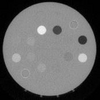
I have a 64x64 rectangular ROI. I want to place 30 of them in a radial pattern from a set distance from the center of my image. I will then calculate take the FFT of these ROI regions. I can't seem to figure our how to plot the ROIs in a radial pattern. Any starting tips would be greatly appreciated! Let me know if I need to provide more details. Example of what I would like below.
1 Comment

KSSV
on 2 Oct 2021
What data you have?
Accepted Answer
Simon Chan
on 2 Oct 2021
Try using function cart2pol, following is an example
clear; clc;
Ny = 1000;
Nx = 1000;
Nz = 30; % Number of ROIs
rho = 200; % Radius, 200 pixels
theta = linspace(-pi,pi,Nz); % Theta separation
cx = 400; % Your center point, x-coordinates = 400 (example)
cy = 700; % Your center point, y-coordinates = 700 (example)
[x,y] = pol2cart(theta,rho); % Use pol2cart
cx_coord = round(cx-x); % Convert back from polar coordinates
cy_coord = round(cy-y);
ROIsize = 64; % Size of ROI
x1 = round(cx_coord - ROIsize/2); % x start position
x2 = x1 + ROIsize - 1; % x end position
y1 = round(cy_coord - ROIsize/2); % y start position
y2 = y1 + ROIsize - 1; % y end position
plot(cx, cy,'g*');
hold on
for k = 1:Nz
plot(cx_coord, cy_coord, 'b.')
plot([x1(k),x2(k),x2(k),x1(k),x1(k)],[y1(k),y1(k),y2(k),y2(k),y1(k)],'r-');
end
xlim([0 Nx])
ylim([0 Ny])

7 Comments

Russell Chow
on 2 Oct 2021
Russell Chow
on 2 Oct 2021
Russell Chow
on 2 Oct 2021

Image Analyst
on 2 Oct 2021
Drawing a rectangle merely draws some graphic in the overlay above the image. It doesn't really "set an ROI". You would need to extract the little image and then call fft2 on it
subImage = grayImage(y1(k) : y2(k), x1(k) : x2(k));
Note that the y's are the first index, not the second.
Russell Chow
on 2 Oct 2021
Image Analyst
on 2 Oct 2021
Edited: Image Analyst
on 2 Oct 2021
Yes, the drawrectangle() function (unlike plot() and rectangle()) can return an "roi" object class.
Russell Chow
on 3 Oct 2021
More Answers (0)
Categories
Find more on ROI-Based Processing in Help Center and File Exchange
Community Treasure Hunt
Find the treasures in MATLAB Central and discover how the community can help you!
Start Hunting!
