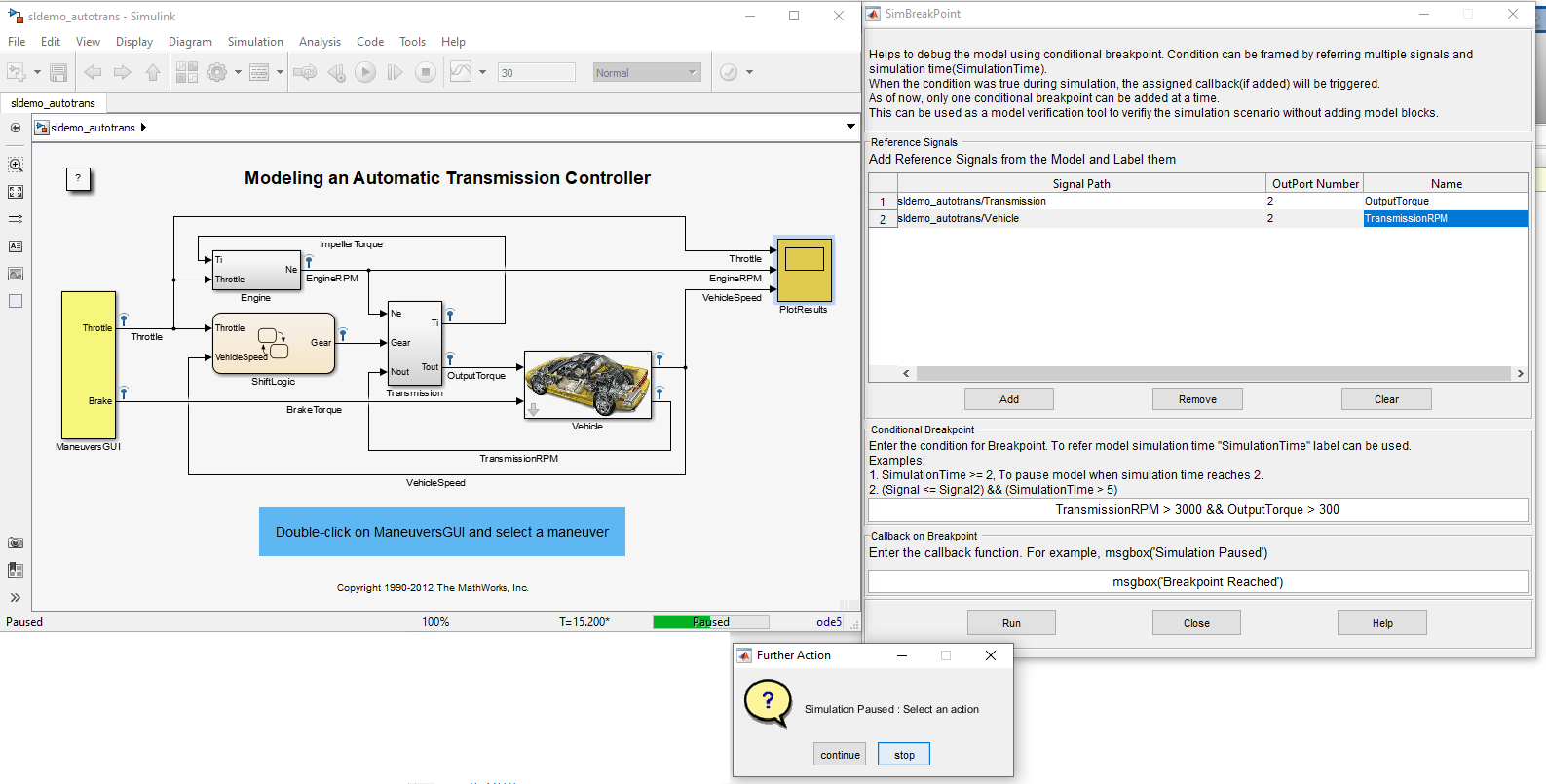
Name: SimBreakpoint Tool Helpful for setting conditional breakpoints in a given model for debugging purpose.
You are now following this Submission
- You will see updates in your followed content feed
- You may receive emails, depending on your communication preferences
Helpful for setting conditional breakpoints in a given model for debugging purpose.
Use cases:
- Helps to add conditional breakpoints for the Simulink debugging purpose.
- Also can be considered as a user interface for "Model Verification" .
Steps to follow:
- Add the utils and its sub folders into MATLAB path.
- Open the Simulink model that has to be debugged.
- Ensure that Tools/SimBreakpoint menu is present. If not, run the command ">> sl_refresh_customizations" in the MATLAB command window, to refresh the Simulink menus.
- SimBreakpoint tool can be launched from Tools/SimBreakpoint menu or from the model context menu.
- Select the signals and add it to the GUI(Reference Signals Panel). User have to give a unique signal label for every entry.
- Enter the breakpoint condition (Example : Time == 1 || signalA < signalB). signalA and signalB should present in the "Reference Signals" Panel.
- Use "Run" button to initiate the simulation.
- The breakpoint condition will be evaluated during every timestep. If it is true then the simulation will be paused for the user to explore the model.
- Either user can stop the simulation or continue the simulation with the breakpoint condition.
- Optional: User can add a callback function which will be evaluated when the breakpoint scenario happens.
Developed by: Sysenso Systems, https://sysenso.com/
Contact: contactus@sysenso.com
Cite As
Sysenso Systems (2026). Debugging Tool for Simulink (https://github.com/SysensoSystems/SimBreakpointTool), GitHub. Retrieved .
General Information
- Version 1.0.3 (1.13 MB)
-
View License on GitHub
MATLAB Release Compatibility
- Compatible with R2015b to R2019b
Platform Compatibility
- Windows
- macOS
- Linux
To view or report issues in this GitHub add-on, visit the GitHub Repository.
