Formula Manipulation and Simplification
R2026bTransform your expression into the particular form you require
(expanded, factored, or expressed in particular terms) by choosing
the appropriate function. See Choose Function to Rearrange Expression. If you just
need a simpler expression, use simplify.
You also can substitute for any part of an expression with another
value by using subs.
Live Editor Tasks
| Simplify Symbolic Expression | Simplify symbolic expressions in Live Editor |
Functions
Topics
- Choose Function to Rearrange Expression
Several functions are available to manipulate expressions. Understand which function to use.
- Simplify Symbolic Expressions
Simplifying symbolic expressions, including assumptions and additional options.
- Substitute Values into Symbolic Expressions Using subs
Substitute values into symbolic expressions for various tasks such as evaluation, simplification, and verification.
- Pattern-Based Substitution
Use pattern-based substitution to rewrite and simplify expressions by matching and replacing specific expression patterns. (Since R2026b)
- Developing an Algorithm for Undistorting an Image
This example develops a mathematical model using the Symbolic Math Toolbox™ to undistort an image and features a local function in the live script.
- Abbreviate Common Terms in Long Expressions
Simplify the display of long expressions by abbreviating common terms.
Featured Examples
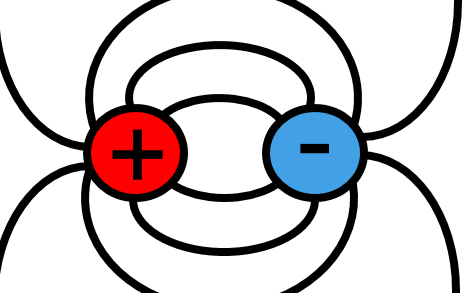
Electric Dipole Moment and Radiation Power
Finds the average radiation power of two attracting charges moving in an elliptical orbit (an electric dipole).
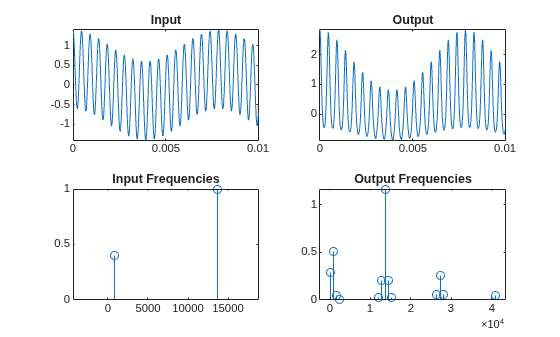
Harmonic Analysis of Transfer Function Output
Finds closed-form solutions for the coefficients of frequencies in an output signal. The output signal results from passing an input through an analytical nonlinear transfer function.
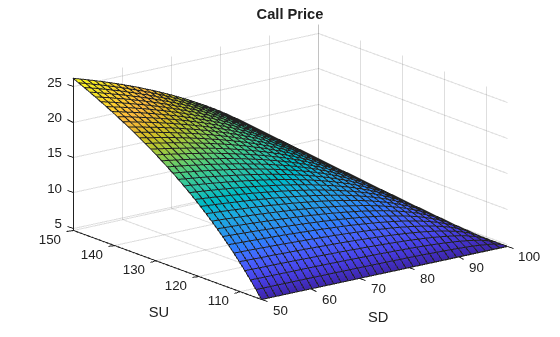
Explore Single-Period Asset Arbitrage
Explore basic arbitrage concepts in a single-period, two-state asset portfolio.

Analytical Solutions of the Inverse Kinematics of a Humanoid Robot
Derive analytical solutions for the inverse kinematics of the head chain of a humanoid robot.

