Frequency Planner
R2026bTune transceiver configuration and view frequency responses for RF devices
Since R2026a
Description
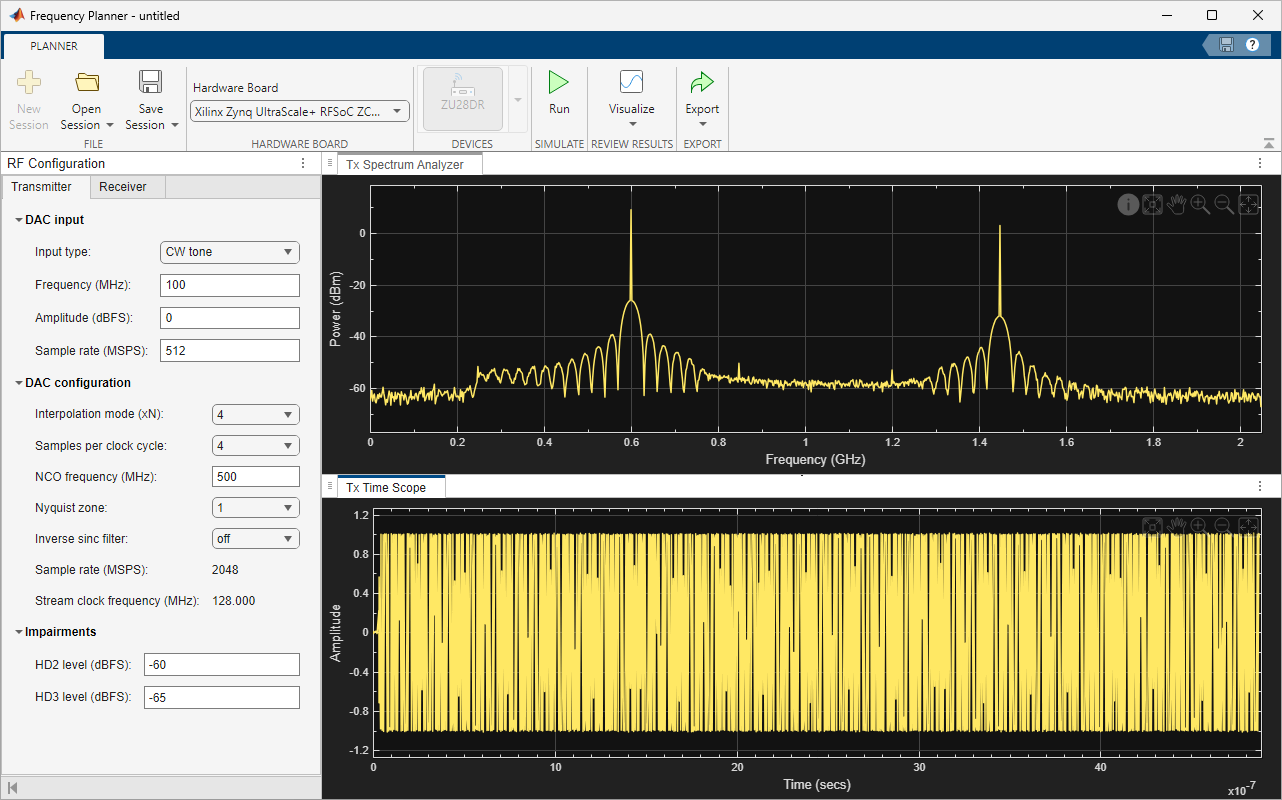
The Frequency Planner app enables you to tune the transmitter and receiver configuration and view the frequency responses for the RF devices. By using this app, you can generate the appropriate data to use as input for the RF Data Converter block.
The app helps you in:
Frequency planning without requiring any modeling.
Frequency planning before targeting the design on an AMD® RFSoC device.
Designing RF paths according to your application requirements.
Deriving or fine tuning the RF Data Converter parameters to transmit or receive signals as per your requirements.
You can export the DAC and ADC configuration to a MAT or TXT file. You can then import the MAT file to apply the configuration to the selected DAC and ADC channels in the RF Data Converter block. The block also lets you open the app with settings that match the selected DAC and ADC channels.
Open the Frequency Planner App
Simulink® Toolstrip: On the Apps tab, under Signal Processing and Wireless Communications, click the Frequency Planner app icon.
MATLAB® Toolstrip: On the Apps tab, under Signal Processing and Audio, click the Frequency Planner app icon.
MATLAB command prompt: Enter
frequencyPlanner.
Version History
Introduced in R2026a

