sdo.scatterPlot
R2026bScatter plot of samples
Description
Examples
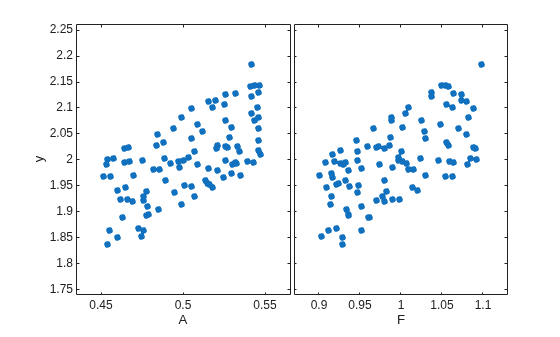
Generally, you use the sdo.scatterPlot(X,Y) syntax with X specifying the samples and Y specifying the cost function value for each sample. Use the sdo.evaluate command to perform the cost function evaluation to generate Y. For this example, obtain 100 samples of the A and F parameters of the sdoCSTR model. Calculate the cost function as a function of A and F. Create a scatter plot to see the sample and cost function values.
Load the sdoCSTR model.
load_system("sdoCSTR");Generate 100 samples of the A and F parameters.
p = sdo.getParameterFromModel("sdoCSTR",{'A','F'});
ps = sdo.ParameterSpace(p);
X = sdo.sample(ps,100);
The first operation obtains the A and F parameters as a vector, p. The second operation creates an sdo.ParameterSpace object, ps, that specifies the probability distributions of the parameter samples. The third operation generates 100 samples of each parameter, returned as a table, X.
Calculate the cost function value table.
A_mean = mean(X{:,1});
F_mean = mean(X{:,2});
Y = table(X{:,1}/A_mean+X{:,2}/F_mean,'VariableNames',{'y'});
Create a scatter plot of X and Y.
sdo.scatterPlot(X,Y);
The CSTR subsystem block in the sdoCSTR model includes the parameters A and F.
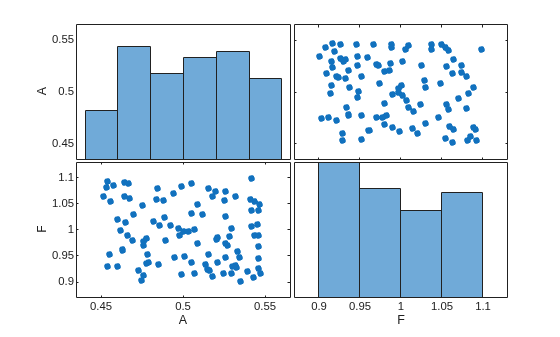
Sample the A and F parameters. Use a scatter plot to analyze the samples.
Load the sdoCSTR model.
load_system("sdoCSTR");Generate 100 samples of the A and F parameters.
p = sdo.getParameterFromModel("sdoCSTR",{'A','F'});
ps = sdo.ParameterSpace(p);
X = sdo.sample(ps,100);
The first operation obtains the A and F parameters as a vector, p. The second operation creates an sdo.ParameterSpace object, ps, that specifies the probability distributions of the parameter samples. The third operation generates 100 samples of each parameter, returned as a table, X.
Create a scatter plot of X.
sdo.scatterPlot(X);
The CSTR subsystem block in the sdoCSTR model includes the parameters A and F.
Generate samples of the A and F parameters.
load_system("sdoCSTR");
p = sdo.getParameterFromModel("sdoCSTR",{'A','F'});
ps = sdo.ParameterSpace(p);
X = sdo.sample(ps,100);
Create a scatter plot matrix and return the object handles and the axes handles.
figure
[H,AX,BigAX,P,PAx] = sdo.scatterPlot(X);
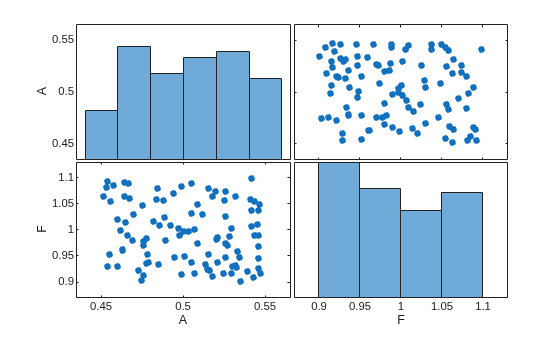
To set properties for the scatter plots, use the handles in H. To set properties for the histograms, use the patch handles in P. To set axes properties, use the axes handles, Ax, BigAX, and PAx.
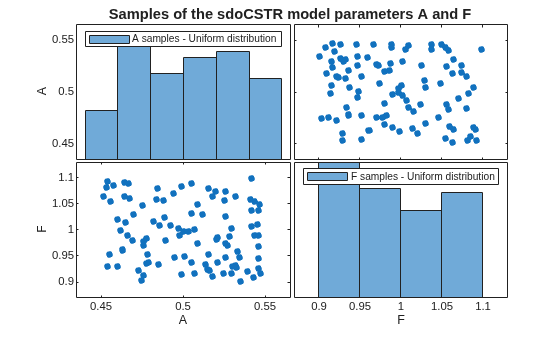
Specify a title for the plot matrix and add legends specifying the sample distribution for each parameter.
title("Samples of the sdoCSTR model parameters A and F")
legend(PAx(1),"A samples - Uniform distribution")
legend(PAx(2),"F samples - Uniform distribution")
Input Arguments
Output Arguments
Version History
Introduced in R2014a

