DC Voltage Source
R2026bIdeal constant voltage source
DC Voltage Source block

To add a block to a model, double-click the canvas and start typing the block name. Then, select the block from the list.
Libraries:
Simscape /
Foundation Library /
Electrical /
Electrical Sources
Description
The DC Voltage Source block represents an ideal voltage source that is powerful enough to maintain specified voltage across its terminals regardless of the current flowing through the source.
You specify the output voltage by using the Constant voltage parameter, which can be positive or negative.
Connections + and - are conserving electrical ports corresponding to the positive and negative terminals of the voltage source, respectively. The current is positive if it flows from positive to negative, and the voltage across the source is equal to the difference between the voltage at the positive and the negative terminal, V(+) – V(-).
Examples
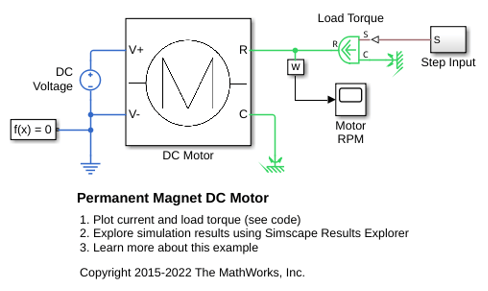
Permanent Magnet DC Motor
Verify manufacturer specifications of no-load speed, no-load current, and stall torque for a DC motor by using a test harness and Simscape™ blocks.
Ports
Conserving
Parameters
Programmatic Use: Add Block
To add the block programmatically, use the add_block function with one of these library block paths as the source.
"fl_lib/Electrical/Electrical Sources/DC Voltage Source"
Example: add_block("fl_lib/Electrical/Electrical Sources/DC Voltage Source","myModel/myBlock",MakeNameUnique="on")
For information about programmatic access to individual block parameters, see the Programmatic Use section of parameter descriptions on this page.
Extended Capabilities
Version History
Introduced in R2007a

