Exclude Data Elements from ASAP2 File
R2026bThis example shows how to exclude a specific data element in the ASAP2 file by using the Export property.
When you build a Simulink® model and export an ASAP2 file, the file includes the data elements such as measurements, characteristics, and computation methods present in the model. You can use the Export property of the data element to include or exclude it from the ASAP2 file. For information about generating an ASAP2 file, see Generate ASAP2 and CDF Calibration Files (Embedded Coder).
This example uses the ASAP2Demo.slx and ASAP2DemoModelRef.slx models.
Create ECU Descriptions Object
The ECU descriptions object for a model contains information about the data elements. You can use the object to customize the ASAP2 file. For more information, see coder.asap2.getEcuDescriptions (Embedded Coder).
Open and build the ASAP2Demo model.
open_system("ASAP2Demo");
slbuild("ASAP2Demo");
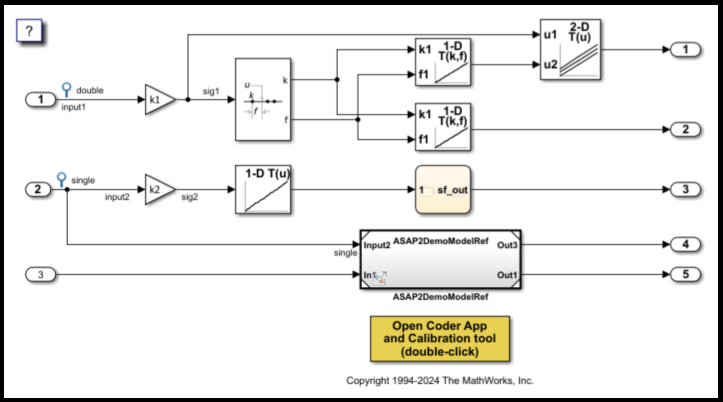
Create an ECU descriptions object for the model by using the coder.asap2.getECUDescriptions function. You can create an object only after the model build is completed.
descObj = coder.asap2.getEcuDescriptions("ASAP2Demo");The descriptions object contains the information about data elements from both parent and child models.
Exclude Signal from ASAP2 File
Use the ECU descriptions object to find list of measurements in the model, then set the Export property to exclude a measurement from the ASAP2 file.
1. Fetch the list of measurements present in the model by using the ECU descriptions object.
descObj.find("Measurement");2. Set the Export property value of the ASAP2Demo_U.input1 measurement to 0. By default, MATLAB sets the Export property to 1 for the model data elements.
set(descObj,"Measurement","ASAP2Demo_U.input1", Export = 0);
3. Generate the ASAP2 file for the model by using the modified ECU descriptions object.
coder.asap2.export("ASAP2Demo", CustomEcuDescriptions = descObj);Open the generated ASAP2Demo.a2l file in the build folder and verify that the Measurements group does not include the ASAP2Demo_U.input1 measurement.
See Also
coder.asap2.export | coder.asap2.getEcuDescriptions

