Gamepad Button
R2026bRepresent one button on VEX gamepad and read logical value
Gamepad Button block
To add a block to a model, double-click the canvas and start typing the block name. Then, select the block from the list.
Libraries:
Simulink Coder Support Package for ARM Cortex-based VEX Microcontroller /
Gamepad
Description
Add-On Required: This feature requires the Simulink Coder Support Package for ARM Cortex-based VEX Microcontroller add-on.
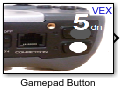
The Gamepad Button block is used to represent one of the 12 buttons on the VEX® gamepad. The block reads the corresponding logical value (1 or 0) based on whether the button is pressed or released.
Ports
Input
Output
Parameters
Programmatic Use: Add Block
To add the block programmatically, use the add_block function with one of these library block paths as the source.
"vexarmcortexlib/Gamepad/Gamepad Button"
Example: add_block("vexarmcortexlib/Gamepad/Gamepad Button","myModel/myBlock",MakeNameUnique="on")
Extended Capabilities
Version History
Introduced in R2016a

