Rotating Channel (IL)
R2026bRotating pipe with a fluid channel in an isothermal liquid network
Rotating Channel (IL) block
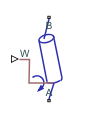
To add a block to a model, double-click the canvas and start typing the block name. Then, select the block from the list.
Libraries:
Simscape /
Fluids /
Isothermal Liquid /
Actuators /
Auxiliary Components
Description
The Rotating Channel (IL) block models a rotating pipe with a fluid channel in an isothermal liquid network. The pipe angular velocity is set by a physical signal at port W. Ports A and B are isothermal liquid inlet and outlet ports.
Fluid passing through a rotating channel experiences pressure changes due to resistance passing through the casing orifice and due to the fluid angular momentum. An internal connection to an Orifice (IL) block accounts for the local resistances. The pressure change in the block is modeled as:
where:
ρA is the fluid density at port A.
W is the shaft angular velocity, received as a physical signal at port W.
rB is the radius of rotation at port B.
The isothermal liquid outlet port can be connected to a Rotating Cylinder Force (IL) block to model components such as a Rotating Single-Acting Actuator (IL).
Assumptions and Limitations
The effects of fluid inertia are not calculated.
The pipe angular velocity is assumed to be constant or changes very slowly.
Ports
Conserving
Input
Parameters
Extended Capabilities
Version History
Introduced in R2020a

