Main Content

Fuzzy Logic Controller with Ruleviewer

Evaluate fuzzy inference system and view rules

  • Fuzzy Logic Controller with Ruleviewer block

Libraries:
Fuzzy Logic Toolbox

Description

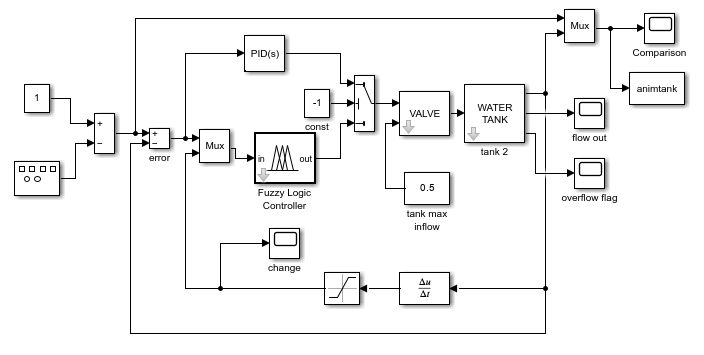
The Fuzzy Logic Controller with Ruleviewer block implements a fuzzy inference system (FIS) in Simulink® and displays the fuzzy inference process in a rule viewer plot during the simulation. You specify the FIS to evaluate using the FIS name parameter. To change the time between rule viewer updates, specify the Refresh rate parameter in seconds.

For more information on fuzzy inference, see Fuzzy Inference Process.

The Fuzzy Logic Controller with Ruleviewer block does not support all the features supported by the Fuzzy Logic Controller block. The Fuzzy Logic Controller with Ruleviewer block:

  • Only supports double-precision data.

  • Uses 101 points for discretizing output variable ranges.

  • Only supports Interpreted execution simulation mode.

  • Does not have additional output ports for accessing intermediate fuzzy inference results.

Examples
Ports

Input

expand all

For a single-input fuzzy inference system, the input is a scalar. For a multi-input fuzzy system, combine the inputs into a vector signal using blocks such as:

Output

expand all

For a single-output fuzzy inference system, the output is a scalar. For a multi-output fuzzy system, the output is a vector. To split system outputs into scalar signals, use the Demux (Simulink) block.

Parameters

expand all

Fuzzy inference system to evaluate, specified as one of the following:

  • mamfis or sugfis object — Specify the name of a type-1 FIS object in the MATLAB® workspace.

  • mamfistype2 or sugfistype2 object — Specify the name of a type-2 FIS object in the MATLAB workspace. (since R2026a)

  • Name of a FIS file (*.fis) in the current working folder or on the MATLAB path. Including the file extension in the file name is optional. Specify the filename in quotes. (since R2026a)

  • Name of a MAT file (*.mat) in the current working folder or on the MATLAB path. The MAT file must contain only one FIS object. Including the file extension in the file name is optional. Specify the filename in quotes. (since R2026a)

Programmatic Use

To set the block parameter value programmatically, use the set_param (Simulink) function.

Parameter: FIS
Values: '"tipper.fis"' (default) | variable name in quotes | file name in quotes

Time between rule viewer updates in seconds, specified as a positive scalar. During simulation, the Rule Viewer display updates at the specified rate to show the inference process for the latest input signal values.

Programmatic Use

To set the block parameter value programmatically, use the set_param (Simulink) function.

Parameter: Ts
Values: "2" (default) | positive scalar in quotes

Extended Capabilities

expand all

Version History

Introduced before R2006a

expand all