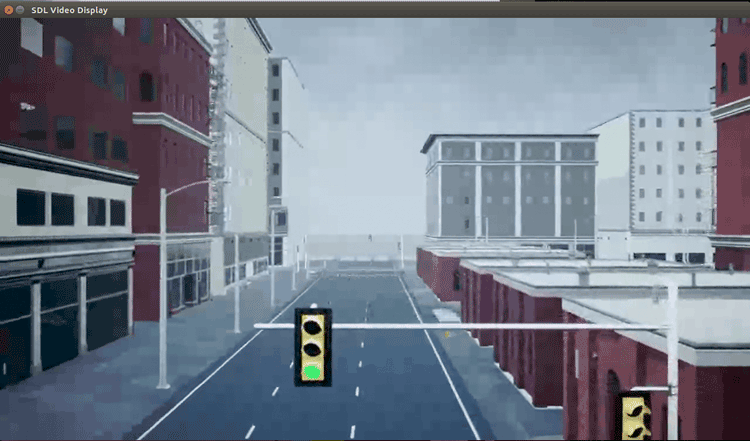
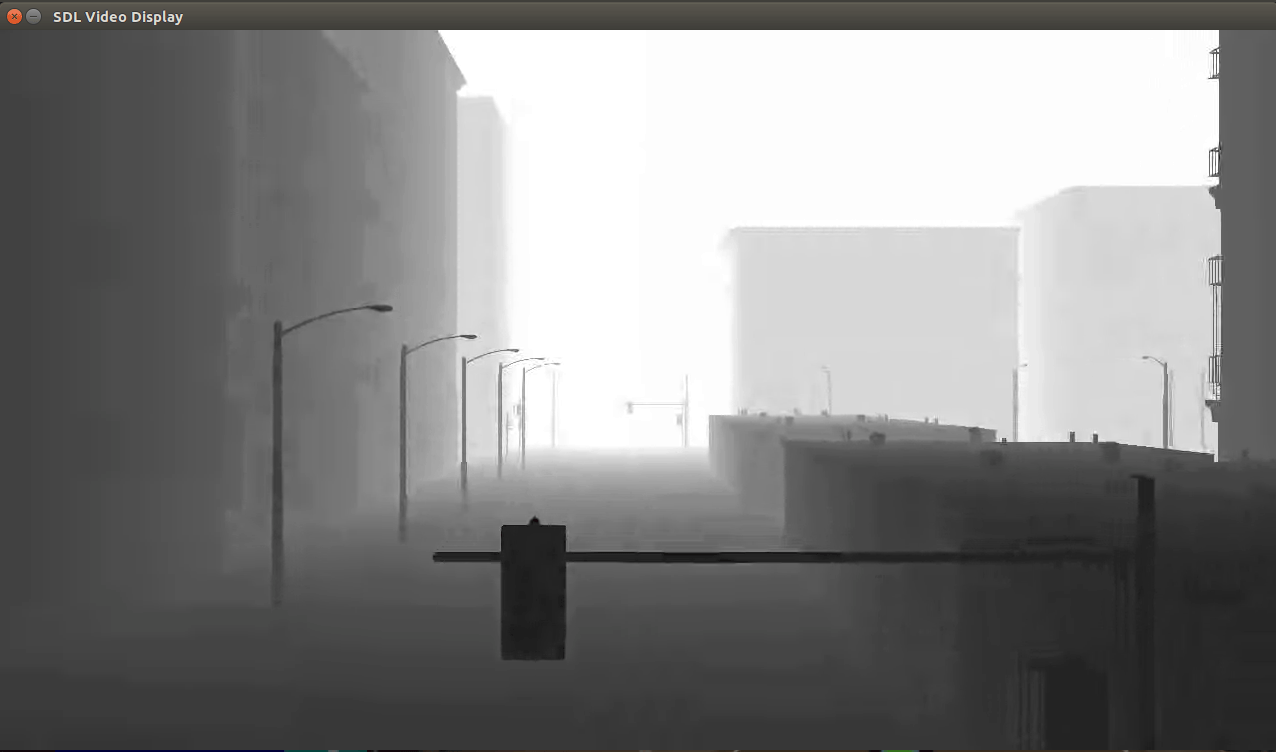
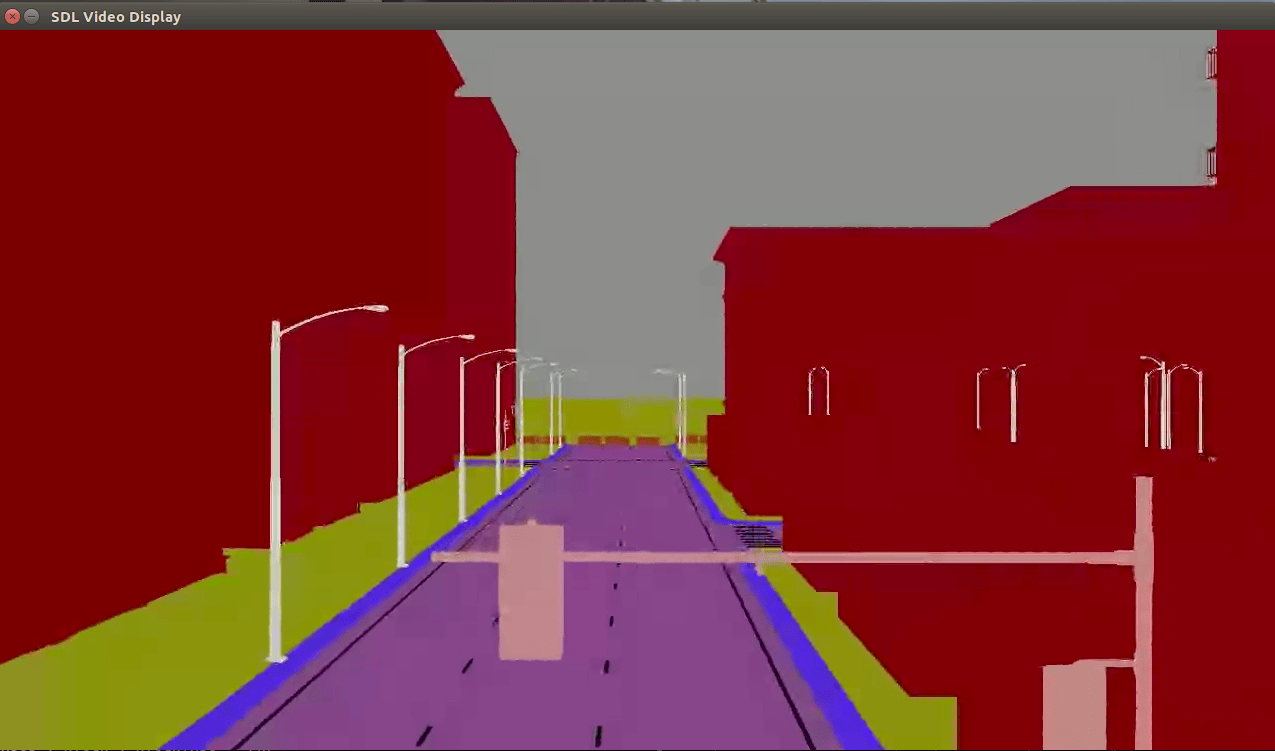
Stream Camera, Depth and Semantic Segmentation Data from Unreal Engine to NVIDIA Jetson
R2026bThis example shows how to stream simulated camera, depth, and semantic segmentation label data from an Unreal Engine® scene to NVIDIA® Jetson™ with Simulink®.
Prerequisites
This example uses the Video Send block, which requires a GStreamer installation. For instructions on installing GStreamer, see Install and Configure GStreamer to Send Video Streams (UAV Toolbox).
You must start two instances of MATLAB® to run this example. Use the first instance of MATLAB to run the Unreal Engine simulation and send the data streams. Use the second instance of MATLAB to build, deploy, and run the Simulink model that receives the stream in the Jetson hardware.
Send Data Streams from First MATLAB Instance
Open this example in your first instance of MATLAB, then copy the current folder path of your first MATLAB instance to the clipboard.
clipboard("copy",pwd)Model Overview
Open the StreamFromUnrealToJetsonExampleModel Simulink model.
open_system("StreamFromUnrealToJetsonExampleModel.slx")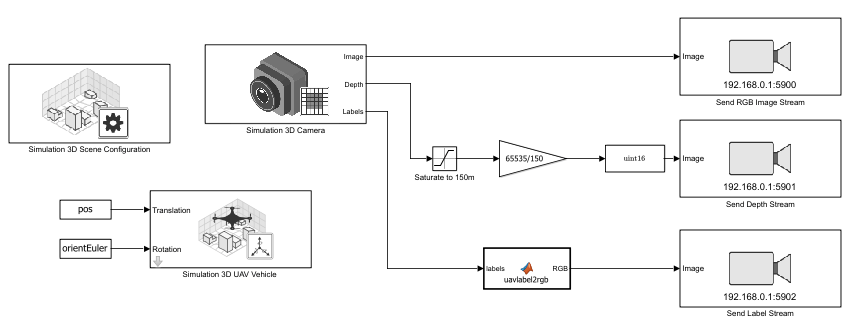
The StreamFromUnrealToJetsonExampleModel Simulink model uses these blocks:
Simulation 3D Scene Configuration (UAV Toolbox) — Enables you to simulate VTOL UAV missions in a 3D environment using Unreal Engine. In this example, the block is configured to simulate a UAV in the US City Block (UAV Toolbox) scene.
Simulation 3D UAV Vehicle (UAV Toolbox) — Places the VTOL UAV model in the 3D scene. In this example, the block is configured to use the quadcopter mesh.
Simulation 3D Camera (UAV Toolbox) — Models a camera placed onboard the UAV. The frame rate of the camera is set at 30 frames per second (FPS) to match the sample time of the Simulation 3D Scene configuration block. The camera outputs the RGB image, depth map, and semantic segmentation label map that corresponds to the objects in the scene.
Video Send (UAV Toolbox) — Sends the RGB image, depth map, and semantic segmentation label map data streams to the Jetson hardware. This example uses three Video Send blocks. The Max frame time (ms) parameter in all three blocks is set to 34 milliseconds, based on the input frame rate of 30 FPS. The Video Send block that sends the RGB image stream and the Video Send block that sends the semantic segmentation map are configured to use VP8 compression, while the Video Send block that sends the depth map is configured to use VP9 compression.
The model first saturates the depth output of the camera to 150 m to limit the depth range. It then scales the signal so the range maps to 16‑bit integer values. Finally, it converts the scaled depth output signal to uint16 data type.
The model converts the label output to a matrix of RGB values analogous to the camera image stream by using the uavlabel2rgb MATLAB Function block. For more information about the colormap for label visualization, see Depth and Semantic Segmentation Visualization Using Unreal Engine Simulation (UAV Toolbox).
Before running the model, you must first configure the Remote address and Remote port parameters of these Video Send blocks to match your Jetson hardware and network setup. Configure all Video Send blocks to send data streams to different ports on the same remote IP address.
Start Data Streams
To start sending the data streams to the Jetson hardware, run the StreamFromUnrealToJetsonExampleModel Simulink model.
sim("StreamFromUnrealToJetsonExampleModel.slx");Getting Started in Second MATLAB Instance
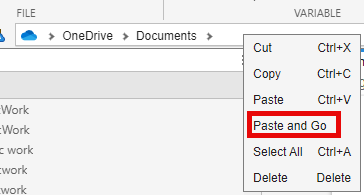
Launch a second instance of MATLAB. Then, right-click the current working directory in the address bar and select the Paste and Go option in the context menu.
This example contains three Simulink models that enable the Jetson hardware to receive the data streams sent by the StreamFromUnrealToJetsonExampleModel model:
VideoStreamReceiveOnJetsonExampleModel— Receives and visualizes the RGB image stream.DepthStreamReceiveOnJetsonExampleModel— Receives and visualizes the depth map stream.LabelStreamReceiveOnJetsonExampleModel— Receives and visualizes the semantic segmentation label map stream.
Receive and Visualize Data Streams
Model Overview
Open the VideoStreamReceiveOnJetsonExampleModel Simulink model, which receives the RGB image stream using VP8 compression.
open_system("VideoStreamReceiveOnJetsonExampleModel.slx")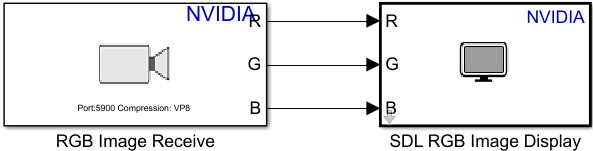
The three receiver models share the same structure, using these blocks:
Network Video Receive — Receives the data stream sent by the
StreamFromUnrealToJetsonExampleModelSimulink model. The Port parameter is configured to match the Remote Port parameter of the corresponding Video Send block. The Sample time parameter is set to 0.0125 seconds, but you can change the sample time to any value that is less than or equal to the sample time of the data stream.SDL Video Display — Visualizes the data stream.
The other two models have their Network Video Receive block configured to receive a different data stream on a different port:
DepthStreamReceiveOnJetsonExampleModel— Receives the depth map stream using VP9 compression.
open_system("DepthStreamReceiveOnJetsonExampleModel.slx")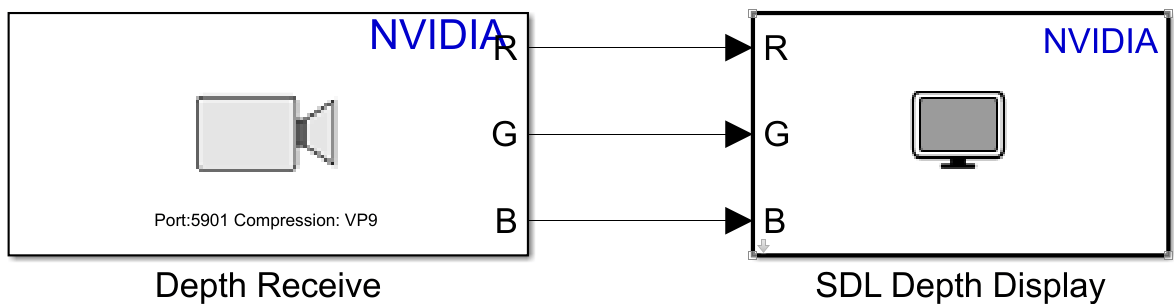
LabelStreamReceiveOnJetsonExampleModel— Receives the semantic segmentation label map stream using VP8 compression.
open_system("LabelStreamReceiveOnJetsonExampleModel.slx")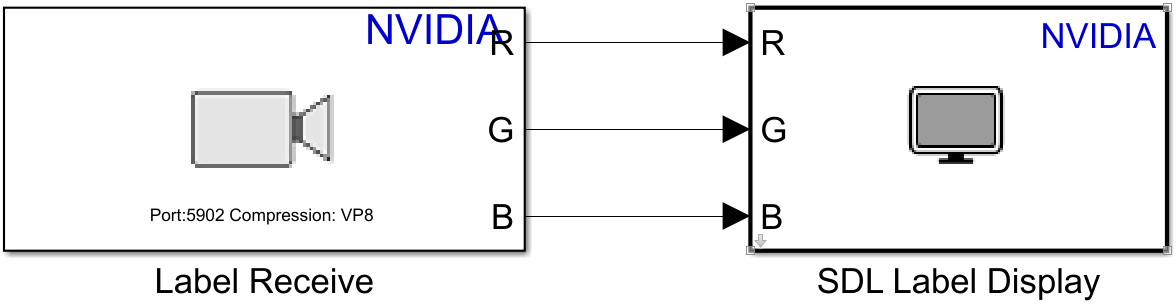
Configure Models
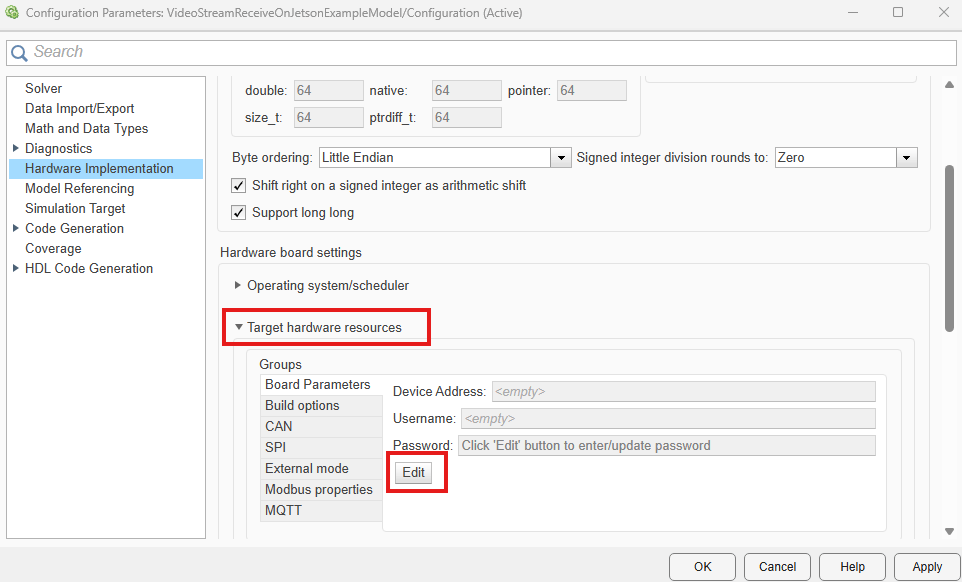
In the Simulink Toolstrip, on the Hardware tab, click Hardware Settings. In the left pane, select Hardware Implementations. In the Target hardware resources section, select the corresponding Board Parameters tab. Select Edit, then populate the Device Address, Username, and Password fields with the corresponding values for your Jetson hardware. Click OK to save your changes. Repeat this for each of the three receiver models.
Deploy and Visualize
Verify that the StreamFromUnrealToJetsonExampleModel Simulink model in your first MATLAB instance is running. Then, in your second MATLAB instance, deploy each receiver model to the Jetson hardware:
In the Simulink Toolstrip, select the Hardware tab.
In the Deploy section, click Build, Deploy & Start
 .
.
Each model launches an SDL Video Display window on the Jetson hardware to visualize its respective stream.