Use Model Workspace to Define Variant Control Variables Scoped to the Model for Variant Blocks
R2026bYou can define variant control variables in the model workspace to scope them to a single model. The model workspace stores variables in the model file, so they persist with the model and do not require PreLoadFcn callbacks or external scripts to restore them when the model loads.
Use variant control variables in the model workspace if you:
Need model portability by permanently storing variant control variables in the model file
Use the same variable names in different models without conflict by limiting the scope to each model
Want instances of a referenced model to activate the same variant choice
For information on variant activation times and variable types that the model workspace supports, see Verify Variable Type Compatibility with Workspace and Variant Activation Time.
For constraints that apply when defining variant control variables in different workspaces, see Workspace Constraints for Variant Control Variables.
Define and Use a Variant Control Variable in the Model Workspace
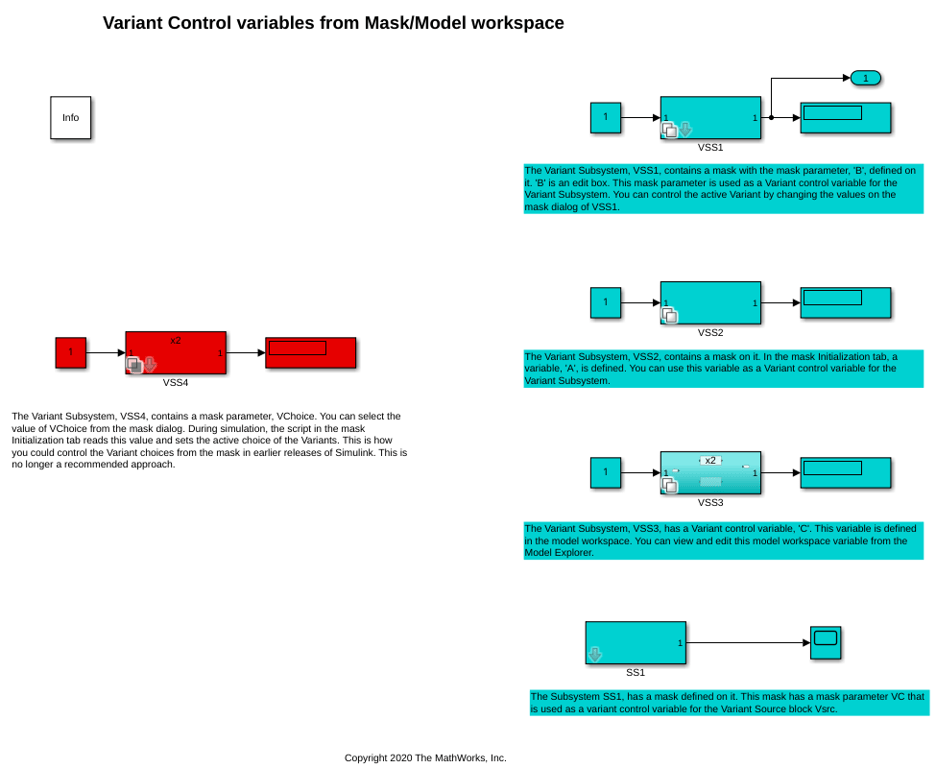
The slexVariantSubsystemCtrlFromMaskandModelWks model contains a Variant Subsystem block VSS3.
1. Open the slexVariantSubsystemCtrlFromMaskandModelWks model.
model = "slexVariantSubsystemCtrlFromMaskandModelWks";
open_system(model)
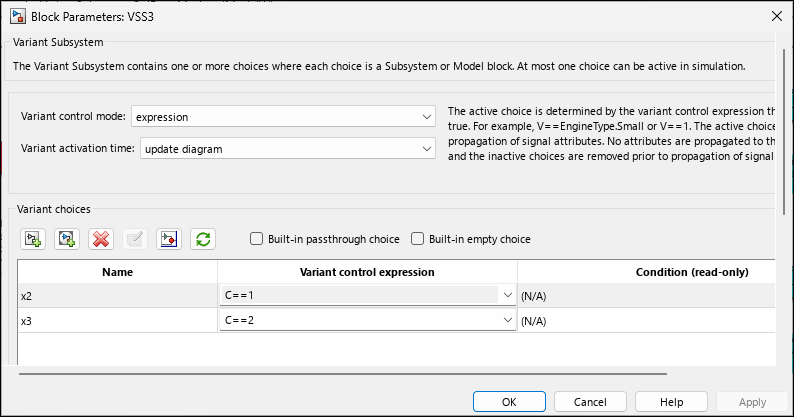
2. Open the Block Parameters dialog box of the VSS3 block.
The block has two variant choices
x2andx3.
The variant control expressions are
C == 1andC == 2. The Variant activation time parameter is set toupdate diagram.
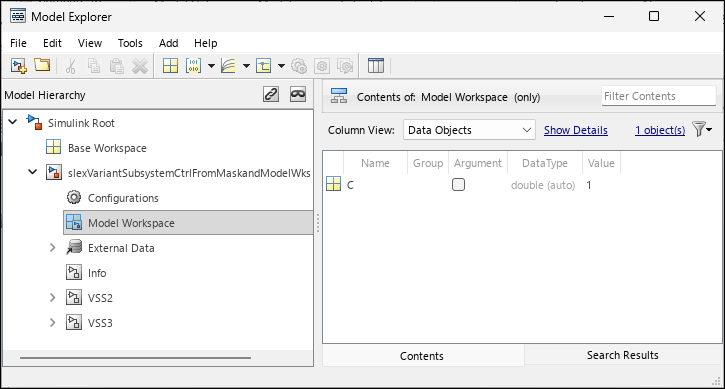
C is a scalar MATLAB® variable defined in the model workspace. To view it, in the Simulink® Toolstrip, on the Modeling tab, click Model Explorer. In the Model Hierarchy pane, click Model Workspace. The value of C is 1.
Simulate the Model
Simulate the model.
sim(model);
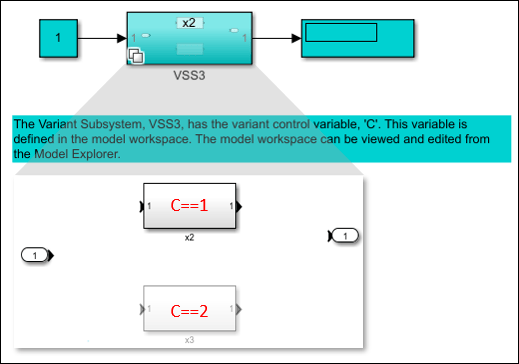
During simulation, the variant condition C == 1 evaluates to true. The x2 subsystem becomes active, and the x3 subsystem becomes inactive.
Open the VSS3 block. The active variant choice, x2, is highlighted, and the inactive variant choice, x3, is dimmed.
Change the Value to Switch the Active Variant Choice
To modify the active variant choice, change the value of C to 2 in the model workspace, and then simulate the model again.
hws = get_param(model,"ModelWorkspace");
hws.assignin("C",2);
sim(model);
During simulation, the variant condition C == 2 evaluates to true. The x3 subsystem becomes active, and the x2 subsystem becomes inactive.
Because the model workspace defines C, this change is scoped to the model and does not affect other models in the MATLAB session. All instances of this model share the same value of C.
Note: If a variable with the same name exists in a closer scope, such as the mask workspace, Simulink uses the mask workspace value. Verify that you do not have unintended variables with the same name in multiple workspaces.
See Also
Topics
- Choose and Configure a Workspace for Variant Control Variables of Variant Blocks
- Generate Code for Instance-Specific Variant Blocks Using Model Arguments in Model Reference Hierarchy (Simulink Coder)
- Variant Control Modes in Variant Blocks
- Activate Variant During Different Stages of Simulation and Code Generation Workflow

