Use Mask Parameters with Enumeration Classes for Per-Instance Variant Control of a Variant Block in a Locked Library
R2026bA locked custom library provides reusable components that you can share across models without modifying the library source. You can use mask parameters as variant control variables in a locked library so that each instance of the masked subsystem can activate a different variant choice from its mask dialog box. The mask parameter value is scoped to the masked subsystem instance, so different instances of the same subsystem can independently control which variant choice is active.
In this example, the mask parameter value is compared against members of enumeration classes in the variant condition expressions to determine which choice to activate. Promoted parameters simplify the mask dialog box so that you can configure variant choices without accessing the internal subsystem layers.
For information on variant activation times and variant control variable types that the mask workspace supports, see Verify Variable Type Compatibility with Workspace and Variant Activation Time.
For constraints that apply when defining variant control variables in different workspaces, see Workspace Constraints for Variant Control Variables.
Explore the Model
Open the locked custom library slexVarEngineLibrary.
library = "slexVarEngineLibrary";
open_system(library);
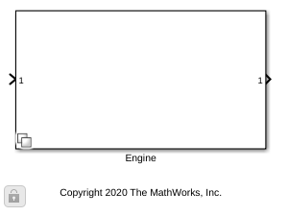
The Engine block is a masked Variant Subsystem block.
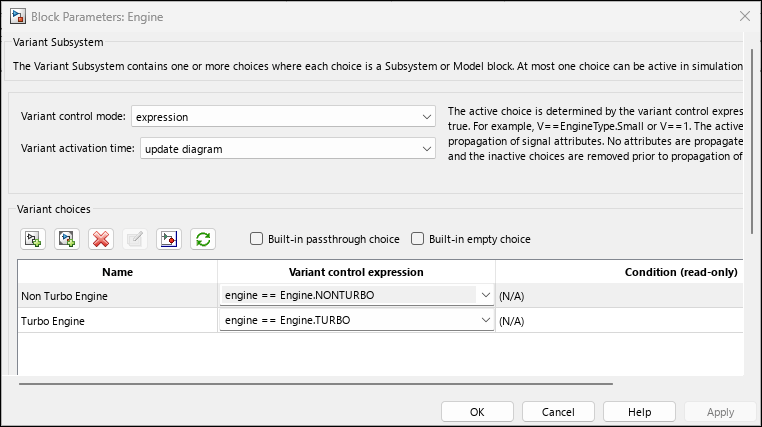
Open the Block Parameters dialog box of the Engine block. The block has two variant choices Turbo Engine and Non Turbo Engine with variant control expressions engine == Engine.TURBO and engine == Engine.NONTURBO. The Variant activation time parameter is set to update diagram.
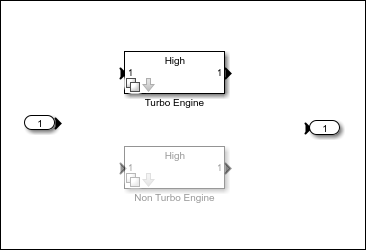
The underlying Turbo Engine and Non Turbo Engine subsystems have variant control expressions engineType == EngineFidelity.HIGH, engineType == EngineFidelity.MEDIUM, and engineType == EngineFidelity.LOW.
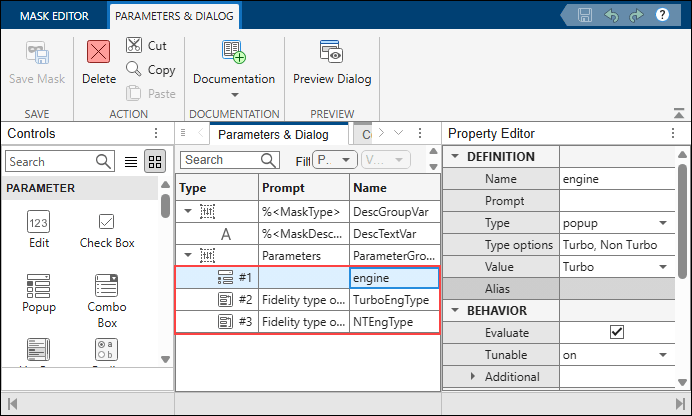
The variables engine and engineType are mask parameters. To view them, right-click the Engine subsystem and select Edit Mask. On the Parameters & Dialog tab, the mask parameters are listed. When you select a value in the mask dialog box, Simulink® assigns the index of that value to the mask parameter during simulation.
Engine and EngineFidelity are enumeration classes that inherit from Simulink.IntEnumType. The variant control expressions compare the mask parameter values against the enumeration members to determine which choice to activate:
type Engine.m
classdef Engine < Simulink.IntEnumType
%

%   Copyright 2020 The MathWorks, Inc.

    enumeration
        TURBO (1)
        NONTURBO (2)
    end
end
type EngineFidelity.m
classdef EngineFidelity < Simulink.IntEnumType
%

%   Copyright 2020 The MathWorks, Inc.

    enumeration
        HIGH (1)
        MEDIUM (2)
        LOW (3)
    end
end
Open the slexVariantSubsystemUsingMaskAndEnums model.
model = "slexVariantSubsystemUsingMaskAndEnums";
open_system(model)
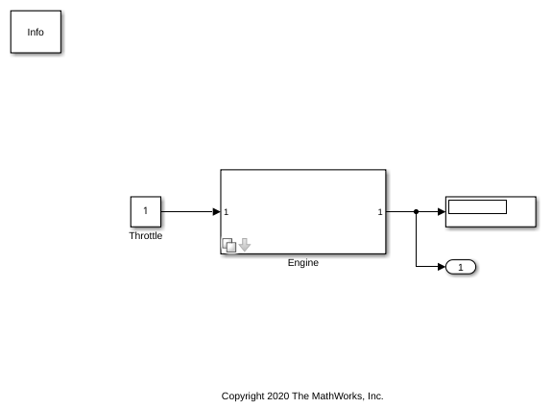
Double-click the Engine block to open the mask dialog box. The mask dialog box contains these parameters:
Engine type — When you select a value for this parameter, Simulink assigns the index of that value to the mask parameter
engine. During simulation, Simulink uses the value ofengineto evaluate the variant condition expressions to activate or deactivate the underlyingTurbo EngineandNon Turbo Enginesubsystems.
Fidelity type for turbo engine — This parameter becomes available only if the Engine type parameter is set to
Turbo. This parameter is promoted onto the mask dialog box of theEnginesubsystem from the underlying layer of theTurbo Enginesubsystem. When you select a value for this parameter, Simulink assigns the index of that value to the mask parameterengineTypeof theTurbo Enginesubsystem.
Fidelity type for non turbo engine — This parameter becomes available only if the Engine type parameter is set to
Non Turbo. This parameter is promoted onto the mask dialog box of theEnginesubsystem from the underlying layer of theNon Turbo Enginesubsystem. When you select a value for this parameter, Simulink assigns the index of that value to the mask parameterengineTypeof theNon Turbo Enginesubsystem.
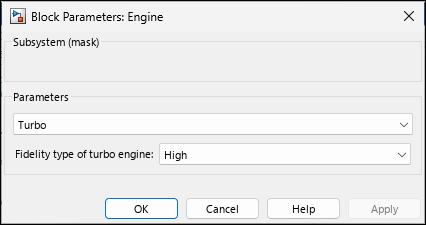
The scope of engineType in the Turbo Engine subsystem is different from the scope of engineType in the Non Turbo Engine subsystem. Because each mask parameter is scoped to its own subsystem instance, the same variable name engineType can hold different values in the Turbo Engine and the Non Turbo Engine subsystems.
Switch Between Active Choices
On the mask dialog box of the Engine subsystem, set Engine type to Turbo and Fidelity type for turbo engine to Low. Simulink maps these parameters to the index of the mask parameters engine and engineType, setting the value of engine to 1 and the value of engineType to 3.
During simulation, the variant control expressions engine == Engine.TURBO and engineType == EngineFidelity.LOW evaluate to true. The Turbo Engine subsystem becomes active and the Non Turbo Engine subsystem becomes inactive.
set_param(model+ "/Engine","engine","Turbo")
set_param(model+ "/Engine","TurboEngType","Low")
sim(model);
To modify the active choice, select Non Turbo in the mask dialog box, then simulate the model again. During simulation, Simulink sets the value of engine to 2. The variant control expression engine == Engine.NONTURBO evaluates to true. The Non Turbo Engine subsystem becomes active, and the Turbo Engine subsystem becomes inactive.
set_param(model+ "/Engine","engine","Non Turbo")
sim(model);
Note: The mask parameter value takes precedence over variables with the same name in the model workspace, data dictionary, or base workspace. Verify that you do not have unintended variables with the same name in multiple workspaces.

