PWM Gate Signal Generator (Four-phase, Two-level)
R2026bGenerate eight switch-controlling pulses for four-phase, two-level gating switching devices
Since R2026a
PWM Gate Signal Generator (Four-phase, Two-level) block
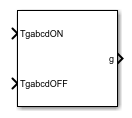
To add a block to a model, double-click the canvas and start typing the block name. Then, select the block from the list.
Libraries:
Simscape /
Electrical /
Control /
Pulse Width Modulation
Description
The PWM Gate Signal Generator (Four-phase, Two-level) block controls the switching behavior for a four-phase, two-level power converter. The block uses the gating times provided as inputs to generate eight switch-controlling pulses. You can obtain the gating time information using the PWM Timing and Waveform Generator (Four-phase, Two-level) block.
Sampling Mode
This block allows you to choose natural, symmetric, or asymmetric sampling of the modulation wave.
The PWM Gate Signal Generator (Four-phase, Two-level) block does not perform carrier-based pulse width modulation (PWM). Instead, the block uses the gating times to generate both the switch-controlling pulses and the modulation waveforms that the block outputs.
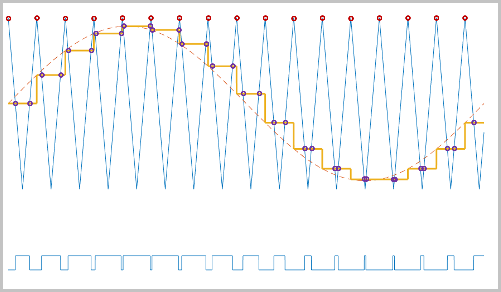
Carrier-based PWM is, however, useful for showing how the sampling mode that you select relates to the switch-on and switch-off behavior of the pulses that the block generates. A generator that uses a three-level, carrier-based PWM method:
Samples a reference wave.
Compares the sample to two parallel triangle carrier waves, separated by one level.
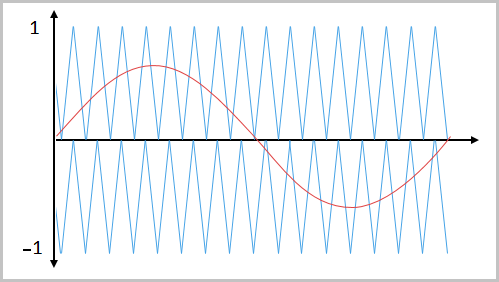
Generates a switch-on pulse if a sample is higher than the carrier signal or a switch-off pulse if a sample is lower than the carrier wave.
To determine switch-on and switch-off pulse behavior, a three-level carrier-based PWM generator uses these methods to sample each of the triangle waves:
Natural — The sampling and comparison occur at the intersection points of the modulation wave and the carrier wave.
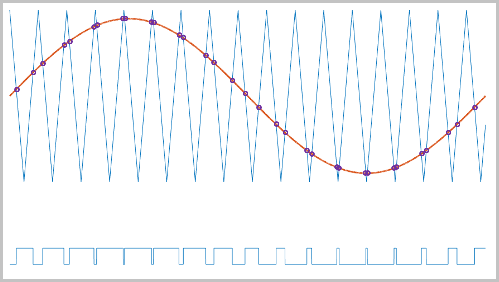
Asymmetric — Sampling occurs at the upper and lower boundaries of the carrier wave. The comparison occurs at the intersection that follows the sampling.
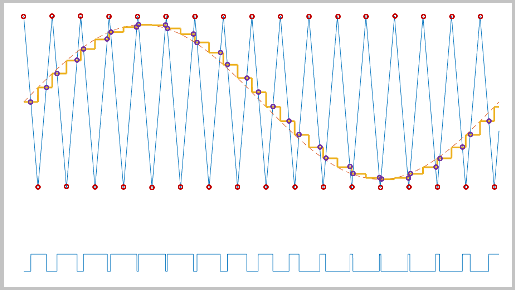
Symmetric — Sampling occurs only at the upper boundary of the carrier wave. The comparison occurs at the intersection that follows the sampling.
Ports
Input
Output
Parameters
Programmatic Use: Add Block
To add the block programmatically, use the add_block function with one of these library block paths as the source.
"ee_sl_lib/Pulse Width Modulation/PWM Gate Signal Generator (Four-phase, Two-level)"
Example: add_block("ee_sl_lib/Pulse Width Modulation/PWM Gate Signal Generator (Four-phase, Two-level)","myModel/myBlock",MakeNameUnique="on")
Extended Capabilities
Version History
Introduced in R2026a

