Set Values of Variables
R2026bSet Values for Individual Operating Points
Typically the models that you use to perform a tradeoff calibration have many inputs. When calibrating a table of just one input, set values for the other inputs.
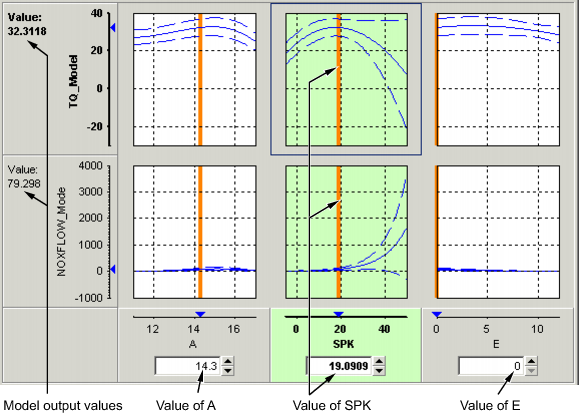
To set values for inputs at individual operating points:
Highlight the operating point in the lookup table.
Use the edit boxes or drag the red bars to specify the values of the other variables.
In the preceding example, the spark table is selected (the SPK graph is
colored green). Specify the values of AFR (A) and EGR
(E) to be used, for example:
Select the spark table node.
Click in the edit box for
Aand set its value to14.3.Click in the edit box for
Eand set its value to0.
The default values are the set points of variables, which you can edit in the Variable Dictionary.
Setting Values for All Operating Points
For example, if you are using a tradeoff to calibrate a table for spark angle, you might want to set the initial values for tables of air/fuel ratio (AFR) and exhaust gas recycling (EGR).
To set constant values for all the operating points of one table:
Highlight the table in the tree display.
Select one operating point in the table.
Enter the desired value of the cell.
Right-click and select Extrapolation Mask > Add Selection.
This adds the cell to the extrapolation mask.
Click
 to extrapolate over the entire
table.
to extrapolate over the entire
table.
This fills the table with the value of the one cell.

