Deblur Images Using a Wiener Filter
R2026bThis example shows how to use Wiener deconvolution to deblur images. Wiener deconvolution can be used effectively when the frequency characteristics of the image and additive noise are known, to at least some degree.
Simulate Blurred Image
Read and display a pristine image that does not have blur or noise.
imOriginal = imread("cameraman.tif");
imshow(imOriginal)
title("Original Image")
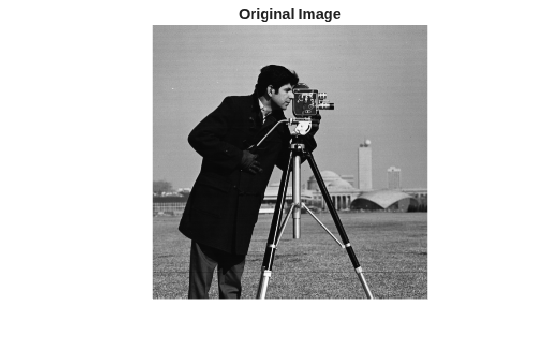
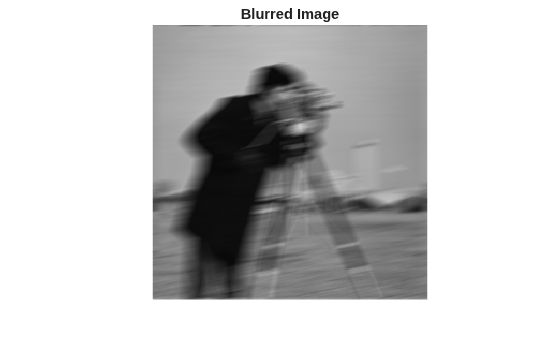
Simulate a blurred image that might result from camera motion. First, create a point-spread function, PSF, by using the fspecial function and specifying linear motion across 21 pixels at an angle of 11 degrees. Then, convolve the point-spread function with the image by using imfilter.
The original image has data type uint8. If you pass a uint8 image to imfilter, then the function will quantize the output in order to return another uint8 image. To reduce quantization errors, convert the image to double before calling imfilter.
PSF = fspecial("motion",21,11);
imDouble = im2double(imOriginal);
imBlurred = imfilter(imDouble,PSF,"conv","circular");
imshow(imBlurred)
title("Blurred Image")
Restore Motion Blur Without Noise
Restore the blurred image by using the deconvwnr function. The blurred image does not have noise so you can omit the noise-to-signal (NSR) input argument. When you do not specify a noise estimate, the Wiener restoration filter assumes the NSR is equal to 0.
wnr1 = deconvwnr(imBlurred,PSF);
imshow(wnr1)
title("Restored Blurred Image")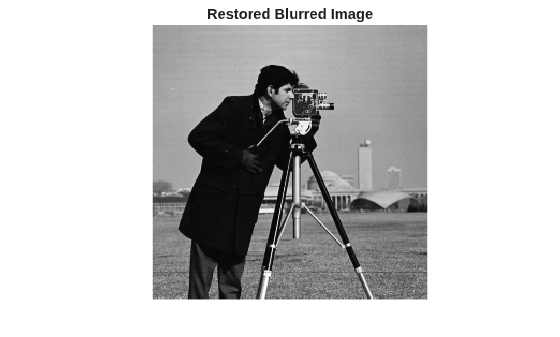
Restore Motion Blur with Gaussian Noise
Simulate a blurred image with Gaussian noise. Add zero-mean Gaussian noise to the blurred image by using the imnoise function.
noise_mean = 0;
noise_var = 0.0001;
imBlurredNoisy = imnoise(imBlurred,"gaussian",noise_mean,noise_var);
imshow(imBlurredNoisy)
title("Blurred and Noisy Image")
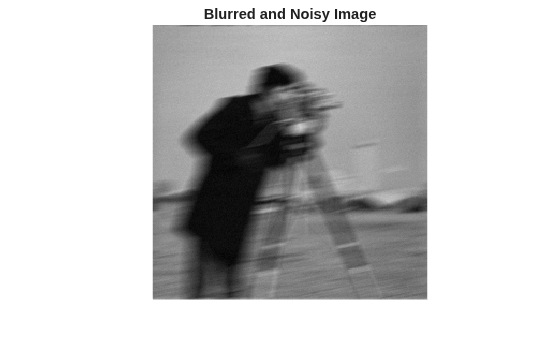
Try to restore the noisy blurred image by using deconvwnr without providing a noise estimate. Without a noise estimate, the Wiener restoration filter is equivalent to an ideal inverse filter, which can be extremely sensitive to noise in the input image.
wnr2 = deconvwnr(imBlurredNoisy,PSF);
Display the restored image. The noise in this restoration is amplified to such a degree that the image content is lost.
imshow(wnr2)
title("Restoration of Blurred Noisy Image (NSR = 0)")
Try to restore the blurred noisy image by using deconvwnr with a more realistic value of the estimated noise.
signal_var = var(imBlurredNoisy(:));
NSR = noise_var / signal_var;
wnr3 = deconvwnr(imBlurredNoisy,PSF,NSR);
imshow(wnr3)
title("Restoration of Blurred Noisy Image (Estimated NSR)")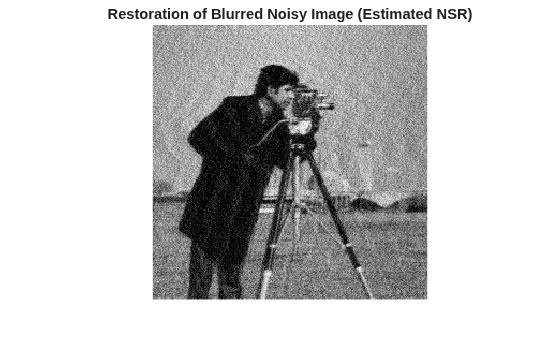
Simulate and Restore Motion Blur with 8-Bit Quantization Noise
Even a visually imperceptible amount of noise can affect the result. One source of noise is quantization errors from working with images in uint8 representation. Earlier, to avoid quantization errors, this example simulated a blurred image from a pristine image in data type double. Now, to explore the impact of quantization errors on the restoration, simulate a blurred image from the pristine image in the original uint8 data type.
imBlurredQuantized = imfilter(imOriginal,PSF,"conv","circular");
imshow(imBlurredQuantized)
title("Blurred Quantized Image")
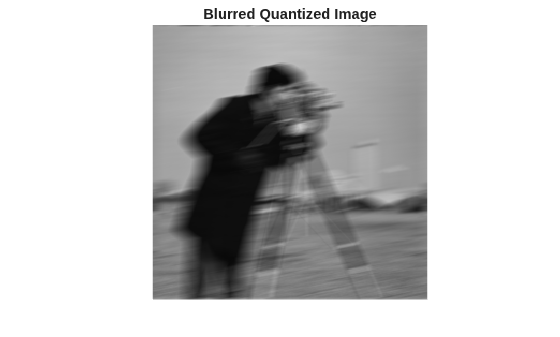
Try to restore the blurred quantized image by using deconvwnr without providing a noise estimate. Even though no additional noise was added, this restoration is degraded compared to the restoration of the blurred image in data type double.
wnr4 = deconvwnr(imBlurredQuantized,PSF);
imshow(wnr4)
title("Restoration of Blurred Quantized Image (NSR = 0)");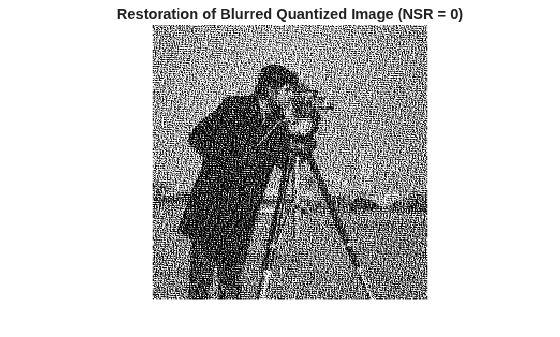
Now, provide a more realistic value of the estimated quantization noise. When working with uint8 data, the quantization step size is 1.
qss = 1;
uniform_quantization_var = qss/12;
Calculate the variance of the signal. The var function requires data of data type double, so convert the pixel values to double before calculating the variance. Do not rescale the pixel values to the range [0, 1].
signal_var = var(double(imBlurredQuantized(:)));
Restore the blurred quantized image by using deconvwnr with the estimated NSR of the quantized noise.
NSR = uniform_quantization_var / signal_var;
wnr5 = deconvwnr(imBlurredQuantized,PSF,NSR);
imshow(wnr5)
title("Restoration of Blurred Quantized Image (Estimated NSR)");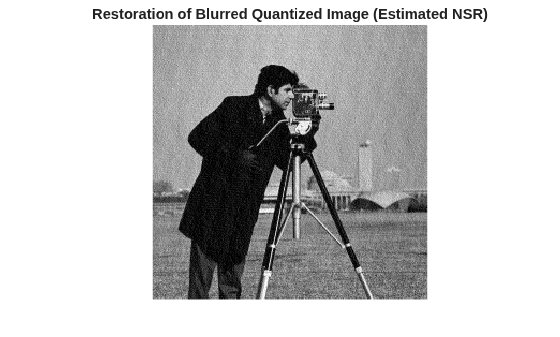
See Also
deconvwnr | fspecial | imfilter | imnoise

