Install Drive Cycle Data
R2026bFollow these steps to install additional drive cycle data from the Powertrain Blockset™ Drive Cycle Data add-on. The add-on has drive cycles that include the gear
shift schedules, for example JC08 and CUEDC.
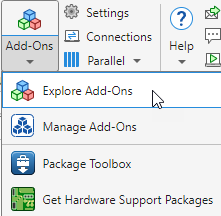
In the Environment section of the MATLAB® toolstrip, select Add-Ons > Get Add-Ons.
Note
In the Drive Cycle Source block, you can click Install additional drive cycles to start the installer.
In the Add-On Explorer, search for Powertrain Blockset Drive Cycle Data.
Click Install. Follow the instructions and default settings provided by the installer to complete the installation.
For details about installing add-ons, see Get and Manage Add-Ons. For other information, see Add-Ons.

